
Published: 08 October 2026
Reading Time: 18 minutes
Reviewer: Simon Scrapes, Founder
The Critical Role of Temperature Control in Modern Electronics Manufacturing
Picture this. You’ve just finished assembling 500 circuit boards for a client. The components look perfect, the solder joints shine under inspection, and you’re ready to ship. Then the quality control team runs the tests, and 47 boards fail. Cold joints. Tombstoned components. Boards that will never work.
What went wrong?
Chances are, the temperature during reflow soldering was off. Just a little. And that tiny deviation cost you time, money, and maybe a client relationship.
Reflow soldering is the backbone of surface mount technology, the process that creates those tiny, reliable electrical connections you find in every smartphone, laptop, medical device, and car computer built today. Without it, modern electronics as we know them simply would not exist. The process melts solder paste onto PCB pads, creating joints that physically hold components in place while forming electrical pathways that let your devices do their jobs.
But here’s the thing that trips up a lot of manufacturers: the difference between a perfect joint and a failed one often comes down to just a few degrees. Temperature profiling is not optional overhead. It is the difference between boards that pass functional testing the first time and boards that end up in the scrap bin.
When temperature control misses the mark, problems stack up fast. Cold joints happen when solder does not fully melt, leaving weak, unreliable connections. Tombstoning occurs when components lift off pads during heating, breaking the circuit entirely. Excessive heat damages sensitive components, voiding warranties and creating safety concerns. These defects ripple through your production line, driving up costs and missing delivery deadlines.
The numbers tell a stark story. Industry standards like IPC-7801A and IPC-7530B now emphasize thermal profiling verification because manufacturers have learned the hard way that guesswork in reflow oven temperature profile settings costs far more than proper measurement equipment. When Sun and Mountain SMT engineers work with electronics manufacturing services, the first question we ask is always about temperature profiling. That is how critical this process variable is.
So why does this matter for you right now?
Whether you are running a small production line or managing a high-volume electronics assembly operation, the reflow temperature profile you use shapes everything. It determines how many boards you can produce per hour. It dictates your defect rate. It affects whether your customers come back or never call again. Getting temperature profiling right is not just about following best practices. It is about staying competitive in an industry where margins are thin and quality expectations are sky high.
In this guide, we break down everything you need to know about reflow temperature profiling. We cover the five critical temperature zones, walk through profile setup step by step, share troubleshooting tips from real production floors, and look at where the technology is heading. By the time you finish reading, you will have a clear roadmap for improving your SMT reflow process, reducing defects, and getting more boards out the door with confidence.
Let’s get into it.
What is Reflow Soldering? Understanding the Fundamentals
At its core, reflow soldering is pretty simple to understand. You place tiny dots of solder paste onto your PCB pads, set components on top, then run the board through a machine that heats everything up in a controlled way. The paste melts, flows around the component leads, and creates those small, strong joints that hold everything in place and complete the electrical circuits.
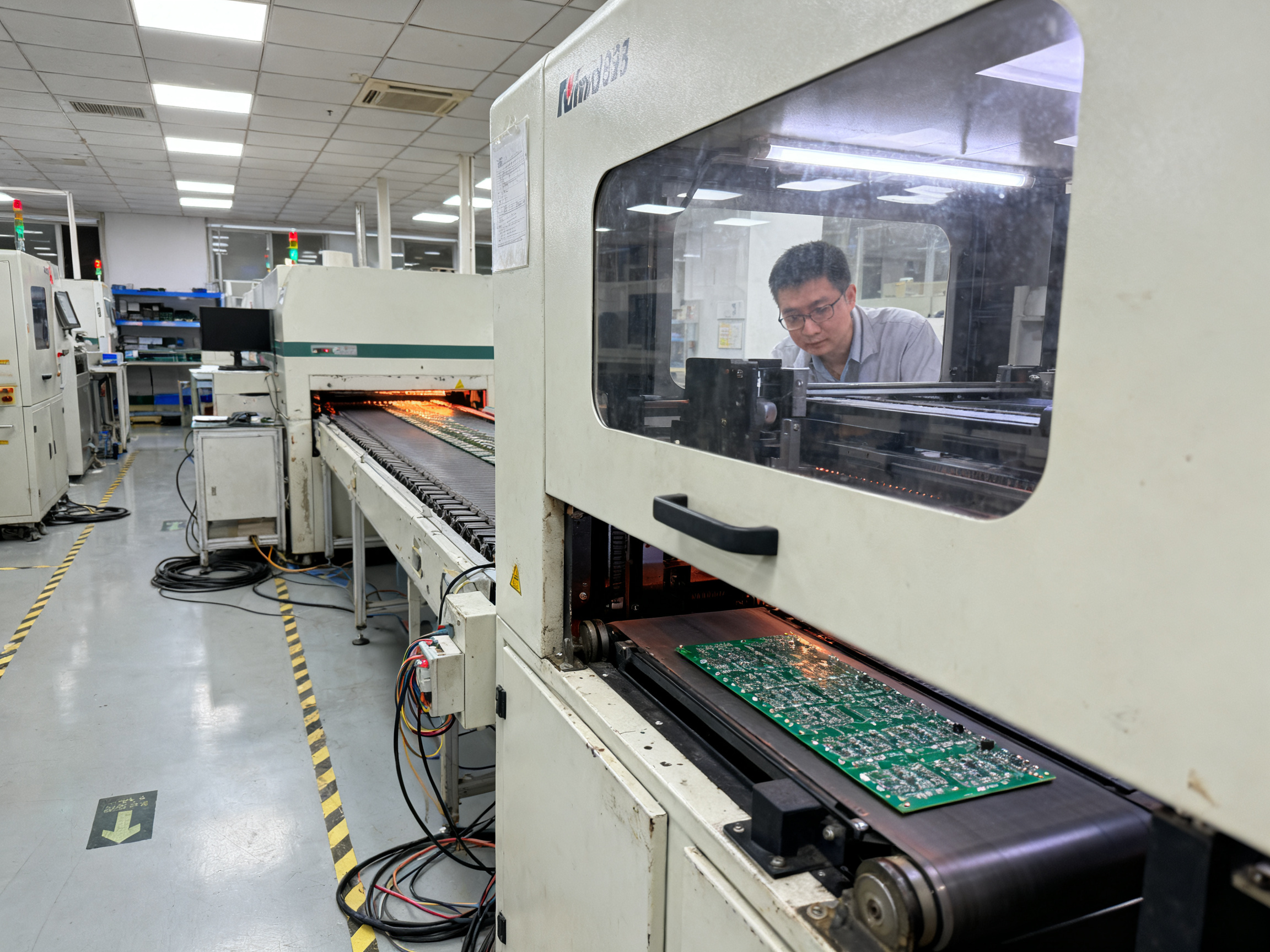
The magic happens in the reflow oven. This machine controls temperature over time following a specific recipe called a temperature profile. Think of it like baking a cake, except the margins for error are much smaller and the consequences of getting it wrong are a lot more expensive.
A reflow oven has multiple heating zones, each set to a different temperature. As your PCB moves through on a conveyor belt, it passes through these zones in sequence. The oven gradually raises the temperature according to the profile you set, then cools it back down at the end. Each zone serves a purpose: drying the paste, activating the chemicals that clean metal surfaces, melting the solder, and finally solidifying everything into strong joints.
The solder paste itself contains tiny metal particles suspended in flux. When heated to the right temperature, the metal melts and flows while the flux cleans away any oxides or contaminants. Cooled properly, you get a shiny, reliable connection that can last for years in tough conditions.
Solder Alloys: What You Need to Know
Not all solder is the same. Different alloys behave differently and need different temperature settings to work properly.
| Alloy Type | Melting Point | Typical Peak Temp | Common Use |
|————|—————|——————-|————|
| SAC305 (lead-free) | 217°C | 235-250°C | Most modern electronics |
| SAC387 (lead-free) | 217°C | 235-250°C | Automotive, industrial |
| Sn63/Pb37 (leaded) | 183°C | 205-230°C | Legacy products, some medical |
Lead-free alloys like SAC305 have become the standard for most electronics made today. They melt at higher temperatures than their leaded counterparts, which means your oven needs to run hotter and your profile needs more careful control.
Here’s the tricky part. The higher temperatures needed for lead-free solder put more stress on your components and PCB materials. Plastic packages, connectors, and the board laminate itself can only take so much heat before they start to degrade. That’s why getting your temperature profile right matters so much.
We work with electronics manufacturing services every day who tell us they struggled with reflow defects until they started paying closer attention to their profiles. One company was running SAC305 paste with a profile copied from an old leaded process. They were getting cold joints and poor wetting on nearly every run. Switching to proper lead-free settings cut their defect rate dramatically.
The key takeaway is this: your solder alloy dictates your profile requirements. You cannot treat all pastes the same way. Read the datasheet for your specific alloy and build your profile from those starting points.
Different components on your board also have different thermal mass. A large capacitor soaks up heat differently than a small resistor. A BGA package with hundreds of hidden joints under it creates its own thermal challenges. Your profile needs to account for all of these variations across your board.
When temperature control misses the mark, problems stack up fast. Cold joints happen when solder does not fully melt, leaving weak, unreliable connections. Tombstoning occurs when components lift off pads during heating, breaking the circuit entirely. Excessive heat damages sensitive components, voiding warranties and creating safety concerns.
Understanding how reflow works is the first step. But knowing about it and executing it well are two different things. Your reflow oven temperature profile choices determine whether your assembly process succeeds or fails, board after board.
The Five Critical Temperature Zones Explained
Think of your reflow oven as a carefully timed journey for your PCB. The board enters one end cold and exits the other with perfectly formed solder joints. Between those two points, it passes through five distinct zones, each playing a specific role in the solder paste reflow process. Mess up any one of these zones, and you will see the results in your defect rate.
We have tested hundreds of profiles on the production floor, and the pattern holds: manufacturers who understand their zones make better decisions about their reflow oven temperature profile settings. Those who just copy settings from the internet and hope for the best tend to call us with problems.
Let us walk through each zone so you know exactly what is happening to your board at every stage.
Preheat Zone: The Gentle Warm-Up
The first zone brings your PCB from room temperature up to around 100 to 150 degrees Celsius. The ramp rate here matters more than most people realize. You want to keep it between 1 and 3 degrees per second. Too fast, and you risk thermal shock to components. Too slow, and you waste time without adding benefit.
The key function of this zone is drying. Solder paste contains solvents that need to evaporate before things get hot. Skip this step or rush it, and you get solder balling later on. Those little spheres of solder that form away from your joints? Often traceable back to a preheat zone that was too aggressive or too short.
Board warpage can also start here if the thermal stress from rapid heating exceeds what your substrate can handle. Larger boards with significant copper mass are especially vulnerable to uneven heating at this stage.
Thermal Soak Zone: The Great Equalizer
After preheat, your board enters the thermal soak zone, typically running from 150 to 200 degrees Celsius. This is where temperature equalizes across all your components. Different parts of your board have different thermal mass. A large capacitor might be at 160 degrees while a tiny resistor nearby is already at 185 degrees. The soak zone gives everything time to catch up.
Flux activation happens here too. The flux in your solder paste is busy cleaning oxides off the metal surfaces, preparing them for wetting. Most SAC305 profiles call for 60 to 120 seconds in this zone. You want enough time for the flux to do its job, but not so long that the flux burns off before reflow even starts.
Inadequate soak leads to poor flux activation, which translates directly to wetting problems and cold joints. Excessive soak can increase voiding under bottom-terminated components. The sweet spot depends on your paste formulation and board complexity.
Reflow Zone: Peak Temperature
Now things get hot. The reflow zone takes your board above the melting point of your solder alloy. For lead-free SAC305, that means reaching 235 to 250 degrees Celsius, well above the 217 degree liquidus. This is where the magic happens: the solder melts, flows, and wets the component leads and pads.
Time above liquidus, commonly called TAL, is measured in seconds. For most lead-free assemblies, you are looking at 45 to 90 seconds in the molten state. Too short, and you get incomplete wetting. The solder simply does not have enough time to flow properly and form strong joints. Too long, and you risk intermetallic compound growth that makes joints brittle, plus potential damage to heat-sensitive components.
The reflow zone demands precision. Your peak temperature target should sit high enough for complete wetting but low enough to protect your components. Many manufacturers aim for about 20 to 30 degrees above liquidus, then fine-tune based on actual joint quality.
Cooling Zone: Controlled Solidification
After peak temperature, your board enters the cooling zone. This is not just passive cooling. You want controlled descent at roughly 2 to 4 degrees per second for lead-free alloys. Too fast, and thermal shock can crack components or create stress in the joint microstructure. Too slow, and the grain structure becomes coarse, weakening the joint over time.
Proper cooling produces fine,均匀 grain structure in your solder joints. The result is that shiny, reliable connection you want. Poor cooling produces dull, grainy joints that may pass visual inspection but fail prematurely in the field.
Time Above Liquidus: The Critical Window
TAL is not a separate zone but a metric that spans part of the reflow zone and into cooling. It represents the window when your solder is molten and capable of forming joints. Getting this right is essential for SMT reflow process quality.
| Zone | Temperature Range | Typical Duration | Key Function |
|——|——————-|——————|—————|
| Preheat | 25 to 150°C | 60-120 seconds | Drying, initial ramp |
| Thermal Soak | 150 to 200°C | 60-120 seconds | Flux activation, equalization |
| Reflow Peak | 235 to 250°C | 45-90 seconds TAL | Solder melting, wetting |
| Cooling | 250 to 200°C | 30-60 seconds | Controlled solidification |
| Ambient | Below 200°C | Until removal | Final cooling |
Pro Insight: The most common zone configuration mistakes we see are ramp rates that are too fast in preheat, which causes tombstoning, and soak zones that are either too short, leading to cold joints, or too long, increasing voiding under BGAs. Watch your thermocouple data at the component level, not just the board level, because thermal gradients within a single large package can exceed 10 degrees.
Each zone affects the next. A poorly configured preheat throws off your soak. A bad soak creates problems that compound through reflow. This is why thermal profiling SMT equipment matters throughout the entire profile, not just at the peak.
Understanding these zones is step one. Next, you need to validate your settings with actual measurements from your reflow oven setup.
Key Components of a Reflow Temperature Profile
Now that you understand the five zones, let’s talk about the numbers that actually matter when you are setting up your reflow oven temperature profile. These are the metrics you will see on your profiler screen, the values you will tweak, and the targets you need to hit if you want boards that pass inspection.
Ramp Rate: How Fast You Heat Things Up
Ramp rate, often shown as degrees Celsius per second, tells you how quickly your board temperature rises through the preheat zone. This is one of the most common places where reflow profiles go sideways.
A ramp that is too steep hits components with thermal shock. Think about it. Your board has a mix of materials: ceramic capacitors, plastic QFP packages, FR4 laminate, and copper traces. They all expand at different rates. Slam them with fast heating and you get cracked components, delaminated substrates, and defects that show up weeks later in the field.
Most lead-free profiles target 1 to 3 degrees per second during the initial ramp. Some paste manufacturers tighten this to 0.5 to 1.5 degrees per second for sensitive assemblies. We have seen operators crank up belt speed thinking faster is better. It is not. Your profiler will show you the actual ramp rate; trust the data over intuition.
Time Above Liquidus: The Window That Matters Most
TAL, or time above liquidus, is the number everyone watches. This is the window when your solder is molten and capable of flowing, wetting component leads to pads. Without enough TAL, you get cold joints. With too much, you risk intermetallic growth that makes joints brittle.
For SAC305 lead-free solder, you are typically looking at 45 to 90 seconds above the 217 degree melting point. Too little time and the solder cannot fully wet the surfaces. Too much and you get thick intermetallic layers that crack under thermal cycling stress.
The tricky part is that TAL is not just about your peak temperature. It is about the entire shape of your profile above liquidus. A fast spike to peak with a quick exit gives you shorter TAL than a profile that lingers just above liquidus before cooling. Both might hit the same peak temperature but produce very different joint quality.
Peak Temperature: The Balance Between Flow and Damage
Peak temperature sits at the top of your reflow profile. You need it high enough for complete solder flow but low enough to protect sensitive components. For lead-free assemblies, this typically lands between 235 and 250 degrees Celsius.
Go higher and you push into dangerous territory for plastic packages, connectors, and LEDs. Go lower and your solder does not fully reflow, leaving you with incomplete joints that look passable but fail testing.
Most paste datasheets give you a recommended peak range. But here is what they often do not tell you: the peak temperature you need depends heavily on your board density and thermal mass. A simple single-sided board might reflow fine at 235 degrees. A complex board with heavy copper planes and large BGAs might need 245 degrees or higher to ensure all joints reach proper temperature.
Expert Tip: When interpreting DFM reports and adjusting profiles, pay attention to the delta between your hottest and coldest measurement points at peak. IPC guidelines suggest keeping this under 5 degrees Celsius across the board. If your hot spot is at 248 degrees and your cold spot is at 238 degrees, you might be overheating some components while underheating others. The fix is usually in the soak zone settings, not just raising or lowering overall temperatures.
Why These Three Numbers Work Together
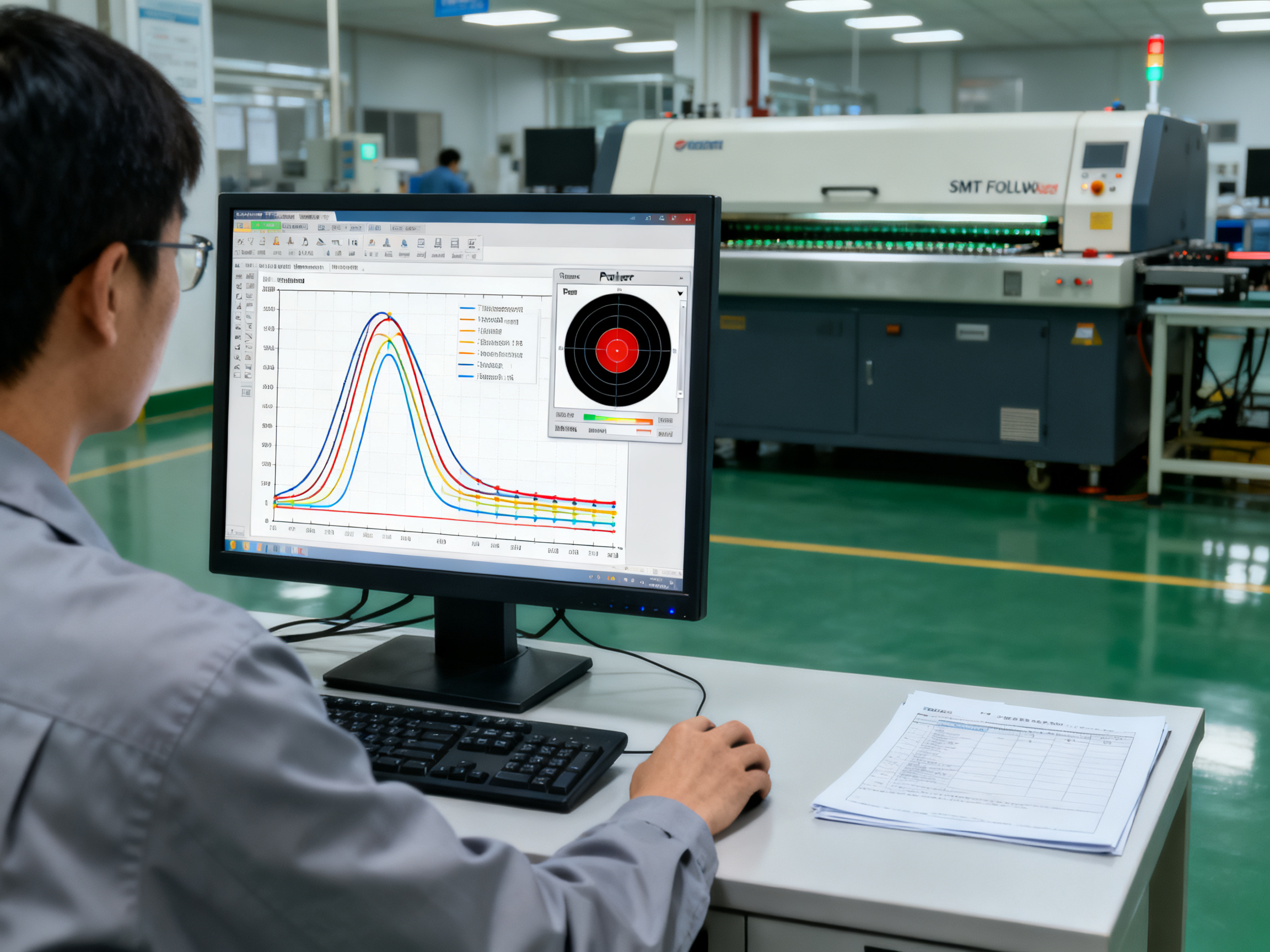
Ramp rate, TAL, and peak temperature are not independent settings. They interact in ways that affect your final joint quality. A slower ramp gives you more time in soak, which can reduce the peak temperature you need. A longer soak can shorten the TAL required at peak. Your profiler shows you these relationships visually, and learning to read that curve is what separates operators who guess from operators who know.
| Profile Parameter | Typical Lead-Free Range | What Happens If Wrong |
|——————-|————————|———————-|
| Ramp Rate | 1 to 3°C/sec | Too fast: thermal shock; Too slow: wasted time |
| TAL | 45 to 90 seconds | Too short: cold joints; Too long: brittleness |
| Peak Temperature | 235 to 250°C | Too low: poor wetting; Too high: component damage |
When you are dialing in a new profile, start with your paste manufacturer recommendations. Then run a trial with thermocouples at your most challenging locations. Compare the measured curve to your targets and adjust incrementally. Document everything so the next time you run this board, you are not starting from scratch.
Essential Equipment for Accurate Temperature Profiling
Your reflow oven tells you what its heaters are doing. It does not tell you what is actually happening to your board. That gap is where thermal profiling equipment comes in. Without proper measurement tools, you are guessing whether your reflow oven temperature profile settings match the real thermal experience of your components.
The good news? You do not need a massive budget to get started. Most manufacturers can achieve solid results with basic profiling equipment, provided they use it correctly.
Thermocouples: Your Primary Sensors
Thermocouples are the workhorses of temperature profiling. These small contact temperature sensors measure actual board temperatures at specific points during the reflow process. K-type thermocouples are the standard choice for SMT profiling because they offer a good balance of accuracy, range, and cost. They handle the 25 to 250 degree Celsius range you need without issues.
Wire gauge matters more than most people realize. Thicker wires (AWG 36) are more durable but can actually cool down small components during measurement, giving you false low readings. Thinner wires (AWG 40) have less thermal mass and interfere less with the measurement. Many experts recommend going thinner for better accuracy, especially on smaller components like 0201 resistors or micro BGAs.
Data Loggers and Profilers
A data logger (sometimes called a profiler) is the brain of your measurement system. It connects to your thermocouples, records temperature readings throughout the entire reflow process, and displays the data as a temperature profile curve.
Modern profilers connect to computers for easier analysis and documentation. The key specs to focus on are channel count (how many thermocouples you can measure simultaneously), sampling rate (how frequently it records data), and accuracy. Most quality units offer accuracy around plus or minus 0.3 to 0.5 degrees Celsius.
The sampling rate is crucial. Reflow profiles have fast thermal transitions, especially during ramp up and cooling. If your logger only records once per second, you might miss important details. Aim for 1 to 10 samples per second for reliable transient capture.
Thermocouple Attachment Methods
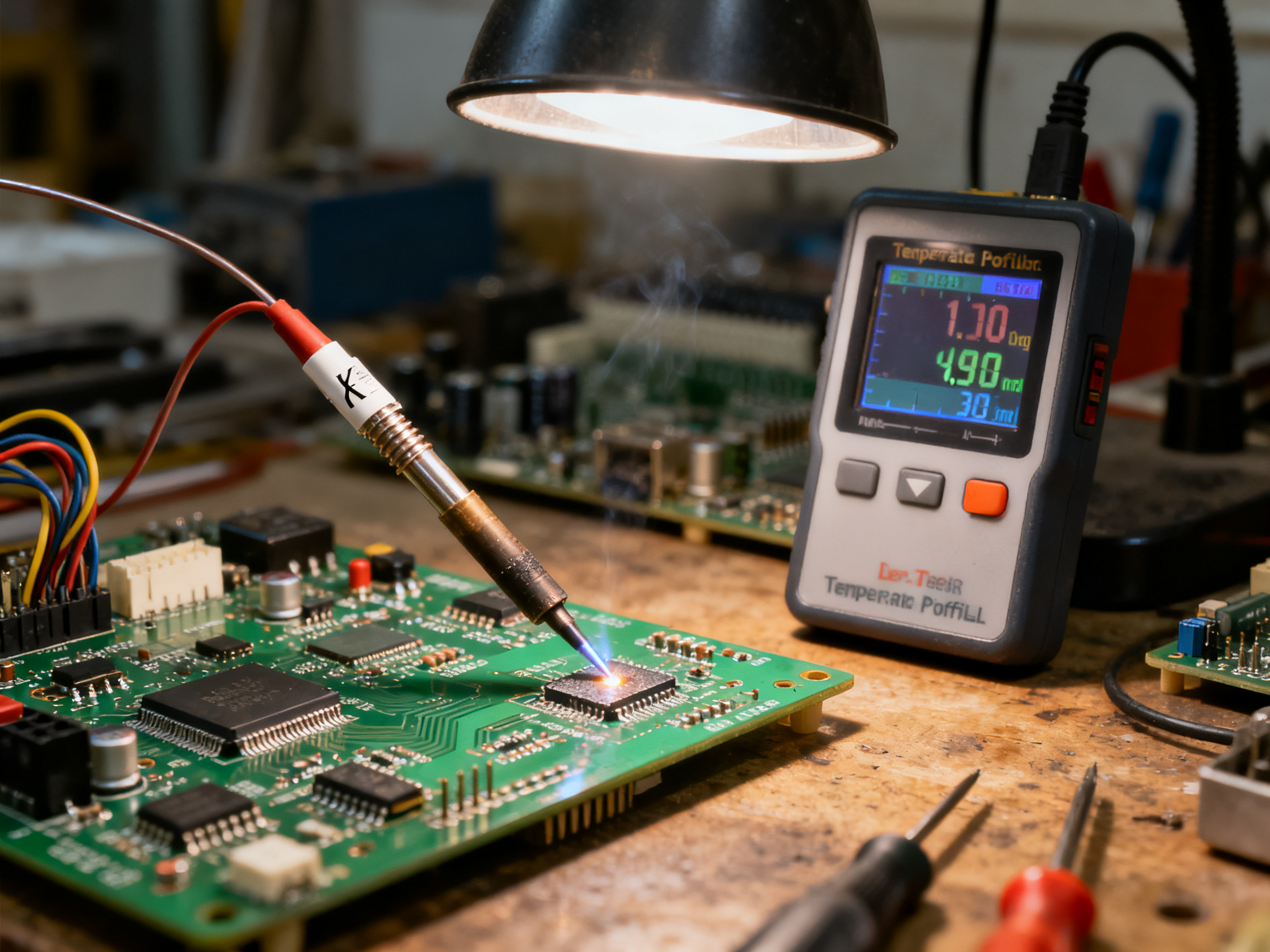
This is where a lot of manufacturers cut corners, and it costs them. The way you attach thermocouples to your board directly affects your measurement accuracy.
The gold standard is soldering the thermocouple bead directly to the pad or component lead. This gives the best thermal connection and the most accurate reading. If soldering is not practical, use high-temperature adhesive or thermally conductive epoxy. Some operators use aluminum tape, but make sure you fully encapsulate the bead. Exposed thermocouple junctions can give false readings from airflow.
Where you place thermocouples matters just as much as how you attach them. Put the bead right at the solder joint or pad of interest, not just on the component body. A reading on top of a capacitor tells you almost nothing about the actual joint temperature underneath.
Route your thermocouple wires flat along the board surface before they exit the oven. Wires hanging freely can act like heat sinks or create local cooling effects that distort your readings.
How Many Thermocouples Do You Need?
This depends on your board complexity. For simple assemblies, three thermocouples might suffice: one at the hot spot, one at the cold spot, and one on your most critical component. For moderate complexity boards with mixed thermal masses, four to six is common. Complex boards with BGAs, large connectors, and uneven copper distribution often need seven to nine measurement points.
When in doubt, add more thermocouples. The cost of extra measurement points is minimal compared to the cost of a hidden cold spot that ruins 10 percent of your production run.
Thermal Barriers and Protection
Your data logger cannot survive the temperatures inside a reflow oven. You need a thermal barrier to protect it. These insulated containers keep your equipment cool enough to function while still allowing the thermocouples to measure actual board temperatures.
Size your barrier appropriately. Too small and you risk damaging your logger. Too large and you alter the airflow inside the oven, changing your actual profile. Work with your profiler manufacturer to match barrier size to your specific oven and production volume.
Getting your equipment right is step one. Next, you need to know how to use that equipment to build and validate your first profile.
Step-by-Step Guide to Setting Up Your First Profile
Setting up your first reflow oven temperature profile might feel intimidating, especially when you hear about all the zones, parameters, and industry standards involved. But here is the honest truth: the process is more straightforward than people make it sound. You follow a logical sequence, take measurements, make adjustments, and document your results. That is basically it.
We have walked dozens of operators through their first profile setup, and the ones who get it right are not the ones with the most experience. They are the ones who follow the steps and actually measure what is happening on their board instead of guessing.
Let us break down exactly how to do this.
Step 1: Gather Your Starting Point Parameters
Before you touch your profiler or mess with any oven settings, you need a baseline. This comes from two places: your solder paste datasheet and your component thermal specifications.
Your paste manufacturer provides recommended ramp rates, soak temperatures, peak temperature windows, and time above liquidus targets. These are not suggestions. They are the boundaries you need to stay within. If you are running SAC305 lead-free paste, you are typically looking at peak temperatures between 235 and 250 degrees Celsius, ramp rates around 1 to 3 degrees per second, and TAL between 45 and 90 seconds.
Then check your components. Your most heat-sensitive parts have maximum temperature limits. Some plastic packages, connectors, and LEDs cannot survive prolonged exposure above 245 degrees. Your profile needs to respect those limits while still achieving proper solder reflow.
We always tell operators to print out the paste datasheet and tape it next to their profiler during setup. Sounds simple, but you would be amazed how many people skip this step and end up chasing problems that were avoidable from the start.
Step 2: Choose Your Test Board Wisely
This matters more than most beginners realize. You want to profile your worst-case assembly, not your easiest one. The worst-case board usually has the highest copper mass creating thermal gradients, the densest component area, and the most thermally sensitive parts all competing for attention.
If you profile an easy board and it passes, you have no idea whether your complex boards with BGAs and heavy copper planes will behave the same way. Profile the hard one first. If it passes, your easier assemblies will almost certainly be fine.
A representative assembly means a populated board, not a bare PCB. Component mass and copper distribution materially change the thermal profile. A bare board will give you misleading data that looks good but fails in production.
Step 3: Place Your Thermocouples Strategically
Thermocouple placement is where profile setup either succeeds or falls apart. You need to measure at locations that represent your thermal challenges, not just random spots that look convenient.
Here is where to put them. First, find your thermal center, usually the area with the densest component mix and most copper. Second, check your board corners and edges, which often run cooler than the center. Third, attach probes to your largest thermal mass components like big inductors or transformers. Fourth, put one on any BGA or bottom-terminated component where hidden joints create risk. Fifth, measure at a location with heavy copper planes, which act as heat sinks and lag behind lighter areas.
Attach the thermocouple bead directly to the pad or component lead when possible. Soldering gives you the best thermal connection. If soldering is not practical, use high-temperature adhesive or thermally conductive epoxy. Plain tape often fails at reflow temperatures and gives you inaccurate readings.
Route your wires flat along the board surface before they exit the oven. Wires hanging freely act like little heat sinks and cool down the area around your measurement point. That creates false data that leads to wrong profile decisions.
Step 4: Run Your First Trial and Measure
Load your instrumented board into the profiler, start the run, and collect your data. The profiler records temperature at each thermocouple location throughout the entire profile, giving you a curve that shows exactly what your board experienced.
When the run finishes, compare the measured curve to your target parameters from the paste datasheet. Check your ramp rate during preheat. Check your soak duration and temperature range. Check your peak temperature and TAL. Check your cooling rate.
Most profilers have software that overlays your measured curve against the recommended window, making it easy to see where you are inside or outside spec. Do not just look at the pretty graph. Read the numbers. Write down what is too high, too low, or just right.
Step 5: Adjust and Re-Test
If your measurements fall within spec, congratulations. You are done with the baseline profile. If not, you need to adjust.
Too low peak temperature means raise your reflow zone setpoints or slow down your conveyor belt. Too high peak means the opposite. Short TAL requires slower belt speed or adjustments to your soak that delay when the board hits liquidus. Cooling rate issues need changes to your cooling zone settings.
Make one change at a time. Re-run and measure again. This incremental approach teaches you how your specific oven responds to adjustments and builds your intuition for future tuning.
Step 6: Lock In Your Approved Profile
Once your measured profile meets all paste and component requirements, save it. Document the thermocouple map, the measured curve, the date, the assembly variant, and your acceptance results. This becomes your controlled baseline for that product.
Treat this documentation seriously. When you run this board again in six months, you want to know exactly what settings produced good results. When someone asks an auditor how you qualified this process, the documentation proves you followed a repeatable method.
Re-qualify your profile whenever you change products, paste formulations, board revisions, or oven maintenance. The IPC-7801A standard emphasizes this repeatability verification because manufacturers have learned that profile drift causes defect spikes that are expensive to chase down.
Now that you have your profile validated, the next question is what happens when something goes wrong anyway. Troubleshooting is where the real knowledge shows up.
Profile Validation and Testing Procedures
So you have built your reflow temperature profile. You have measured it with thermocouples and it looks perfect on paper. But how do you know it actually works in production? How do you know your oven is still behaving six months from now?
That is what validation and testing procedures are for. This is where good manufacturers separate themselves from the ones who keep calling with problems. Profiling is not a one-and-done activity. It is an ongoing commitment to quality that pays off in lower defect rates and fewer customer returns.
First Article Inspection: Qualifying New Products
When you get a new board design or a new product to build, you need to prove your process can make it correctly before you commit to full production. This is called First Article Inspection, or FAI, and thermal profiling is a big part of it.
FAI for a new assembly means running your worst-case board through the reflow oven with thermocouples attached, just like you did during initial setup. You measure the actual thermal profile, check that all parameters fall within your paste and component limits, and then inspect the resulting solder joints. AOI and X-ray inspection are common here, especially for BGAs and other hidden-joint packages.
The goal is to prove that your approved profile produces boards that meet quality standards. You document the thermocouple map, the measured curve, the inspection results, and the date. This becomes part of the build record for that product. If an auditor ever asks how you qualified this process, you have the evidence ready.
One mistake we see a lot is companies skipping FAI when they get a new board revision. They assume the existing profile will work. But even small changes like a different component vendor or a slightly modified copper layout can shift your thermal behavior. Always re-profile when the board changes, no matter how minor the revision looks on paper.
Ongoing Monitoring: Catching Drift Before It Catches You
Your reflow oven is a mechanical system with heaters, fans, and conveyor belts. Over time, these components wear. Heating elements lose efficiency. Fans spin slower. Conveyor motors drift. All of these changes alter your actual thermal profile even when the oven display shows the same settings.
That is why ongoing monitoring matters. You need to profile periodically to confirm your oven is still producing the same results it did when you qualified the process.
How often should you profile? It depends on your production volume and how stable your equipment is. Here is a practical framework:
| Production Volume | Profiling Frequency | Notes |
|——————-|——————–|—-|
| Low volume (under 100 boards/week) | Monthly or every 50 runs | Check for drift, especially after maintenance |
| Medium volume (100-1000 boards/week) | Weekly or every 200 runs | Monitor consistency, document any oven adjustments |
| High volume (over 1000 boards/week) | Daily startup check | Use golden board method for fast verification |
At minimum, you should profile at startup of each production shift if you are running high volume. Run a test board with thermocouples or use your golden board baseline. If the measured profile drifts more than a few degrees from your approved curve, investigate before running production.
The golden board method is popular in high-volume operations. You keep one fully instrumented board as your reference standard. Each shift, you run it through and compare the result to your baseline. Quick, simple, and it catches drift before it ruins a batch of boards.
Expert Tip: When interpreting DFM reports and adjusting profiles, pay attention to the delta between your hottest and coldest measurement points at peak. IPC guidelines suggest keeping this under 5 degrees Celsius across the board. If your hot spot is at 248 degrees and your cold spot is at 238 degrees, you might be overheating some components while underheating others. The fix is usually in the soak zone settings, not just raising or lowering overall temperatures.
Defect Analysis: Using Profile Data to Find Root Causes
When defects show up on your production line, your first instinct might be to change the paste or blame the components. But more often than not, the problem traces back to your thermal profile.
Say your quality team flags cold joints on a recent run. You pull the profile data from that production date and compare it to your approved baseline. Maybe the TAL was too short. Maybe the peak temperature came in 10 degrees lower than expected. The profiler data tells you exactly what happened so you can fix the right thing.
Tombstoning defects often point to ramp rate problems in preheat. If the board heats too quickly, one pad heats faster than the other and the component lifts during reflow. Your profile data shows the ramp rate, proving whether this was the culprit.
Voiding under BGAs frequently ties back to soak zone issues. Too much time in soak or temperatures that spike before the flux can properly outgas create trapped bubbles that appear as voids in X-ray inspection.
The pattern here is simple. Profile data gives you the evidence to diagnose problems correctly. Without it, you are guessing. With it, you make targeted adjustments that actually solve the issue.
Sun and Mountain SMT engineers see this all the time. A manufacturer gets hit with a defect spike and assumes their new paste lot is bad. They send samples to the paste vendor for testing. Meanwhile, the real problem is that someone adjusted the conveyor speed last week and nobody re-profiled. The paste was fine. The profile was wrong.
Documentation makes this possible. When you keep records of your approved profiles, your thermocouple maps, and your acceptance criteria, you have the reference point to compare against. Without that documentation, you lose the ability to diagnose what changed.
Treat your profiling system as your early warning system. Regular checks catch problems before they become expensive. And when defects do appear, your profile data helps you fix them fast instead of chasing ghosts.
Next up, we will look at how to optimize your profile for efficiency without sacrificing quality. Because nobody wants to trade speed for defects, and the right approach lets you have both.
Troubleshooting Common Reflow Profile Issues
Even with perfect profiles and validated settings, things go wrong sometimes. A new paste lot behaves differently. Someone adjusts the conveyor speed and forgets to re-profile. A board revision changes the thermal mass and nobody catches it. On the production floor, problems do not announce themselves politely. They show up as defects, rework tickets, and late shipments.
The good news? Most reflow problems leave fingerprints in your profile data. When you know what to look for, diagnosis gets faster and fixes get simpler. Here is how to match the defects you see to the profile adjustments that fix them.
Cold Joints: When Solder Does Not Fully Flow
Cold joints are exactly what they sound like. The solder never reached high enough temperature or stayed molten long enough to flow properly. You spot them by their dull, grainy appearance and the way the fillet looks cracked or incomplete rather than smooth and shiny.
The root causes usually trace back to one of three profile problems. First, peak temperature might be too low. If your hottest point during reflow is below what your solder alloy needs, the metal stays too viscous to flow and wet properly. Second, time above liquidus might be too short. Even with adequate peak temperature, the solder needs a window of 45 to 90 seconds above melting point to fully flow and form reliable joints. Third, your ramp into reflow might be too fast, shocking the flux and preventing proper activation before the solder melts.
The fix depends on what your profiler data shows. If peak temperature is the problem, raise your reflow zone setpoints or slow down the conveyor belt. If TAL is short, extend your soak zone to delay when the board hits liquidus, or reduce cooling rate slightly to give the solder more time in the molten state.
We worked with an electronics manufacturing services client last year who kept getting cold joints on their BGAs. Their profile looked fine on paper, but the profiler showed their actual peak was running 8 degrees below target because a heating element had degraded. Nobody noticed until the defects started appearing. The profiler caught it. Without that data, they would have kept adjusting paste and placement settings, chasing the wrong problem.
Tombstoning: Components Lifting Off Their Pads
Tombstoning happens when one side of a component heats up faster than the other during reflow. The solder on the hot side melts first and pulls the component upward as the board continues through the profile. By the time both sides reach reflow temperature, the component has lifted like a tombstone, breaking the circuit.
This defect almost always points to thermal imbalance somewhere in your profile. Common culprits include ramp rates that are too fast in the preheat zone, creating uneven heating across pads. Large thermal mass differences between adjacent pads, like a heavy copper plane under one pad but not the other, also create imbalance. Uneven paste volume deposition can make one pad reflow before the other.
Slowing down your preheat ramp is the first move. Target 1 to 2 degrees per second instead of 3 or higher. Check your board layout for copper imbalance that might be creating hidden thermal gradients. Verify your stencil printing is depositing consistent paste volume across all pads for the affected components.
One thing many operators miss: tombstoning can also happen because of board design issues that no profile adjustment will fully fix. If your pads have wildly different copper mass, the profile can only do so much. You might need to work with your board designer to add thermal relief or balance the copper distribution.
Voiding: Trapped Gas Bubbles in Joints
Voids show up as dark spots in X-ray inspection, empty pockets inside otherwise solid solder joints. Small voids are usually acceptable. Large voids, especially under bottom-terminated components, weaken joints and create reliability problems over time.
Voiding typically comes from outgassing that happened too late in the reflow process. If your preheat zone ramps too quickly, solvents in the paste do not have time to evaporate. They turn to gas right as the solder is melting and solidifying, trapping bubbles in the joint. Soak zones that run too long can also cause problems by depleting flux activity before reflow is complete.
The fix involves adjusting your preheat behavior. Extend the time in the lower temperature range to let solvents escape before the solder melts. Reduce your preheat ramp rate to 1 to 1.5 degrees per second if you are seeing gas-related voiding. Also check that your paste is not expired or stored improperly, since degraded paste generates more gas during reflow.
Quick Defect-to-Cause Reference
| Defect | Primary Profile Cause | Quick Fix |
|——–|———————-|———-|
| Cold joints | Peak temp too low or TAL too short | Raise peak or extend soak |
| Tombstoning | Ramp too fast, thermal imbalance | Slow preheat ramp |
| Voiding | Rapid preheat, flux depletion | Extend preheat time |
| Solder balling | Insufficient drying | Lengthen preheat zone |
| Poor wetting | Flux not activated | Adjust soak time and temp |
| Bridging | Paste volume or placement | Check stencil and picker |
When to Re-Profile vs. When to Look Elsewhere
Profile adjustments fix thermal problems. They do not fix design problems, contaminated surfaces, or expired materials. If you have adjusted your profile repeatedly and defects persist, step back and check the other factors.
Run the same paste on a different board. Run the same board with different paste. Test a known-good board through your process. These comparisons tell you whether the problem follows the profile, the materials, or the board design.
Document every change you make. When you finally solve the problem, you want to know exactly what worked so you can replicate it next time.
Expert Tip: Before assuming the profile is wrong, check your thermocouple attachment. We once spent three days troubleshooting persistent voiding on a medical board. The fix was discovering that one thermocouple had lifted off its pad and was giving false high readings, making the oven under-heat the board. Remeasured with properly attached probes, the profile was actually fine. Your measurement tools have to be trustworthy before your profile data means anything.
Troubleshooting is reactive. What about getting ahead of problems before they happen? That is where optimization comes in, and the next section covers how to push your profile toward better throughput without sacrificing quality.
Optimizing Your Reflow Profile for Efficiency
Here is something nobody talks about enough. You can have a perfectly dialed-in reflow profile that produces gorgeous solder joints every time, but if your cycle takes 12 minutes when it could take 8, you are leaving money on the table with every single board that rolls off the line.
Optimization is where profiling gets interesting. Once you have a baseline profile that works, you start asking better questions. How fast can we push this? What can we trim without hurting quality? Where are the hidden inefficiencies eating into our margins?
In 2026, this matters more than ever. Energy costs are up, competition is fierce, and customers expect faster turnaround without sacrificing reliability. Your reflow profile is one of the most powerful tools you have for addressing all of these pressures at once.
Cycle Time Reduction: Moving Faster Without Breaking Things
The biggest opportunity for most manufacturers is conveyor speed. Faster belt speed means more boards per hour, which directly impacts your throughput and your cost per unit. But here is the catch. Push too hard and your thermal profile falls apart. The board does not spend enough time in each zone, and suddenly you are back to cold joints and poor wetting.
The key is finding the minimum time your board needs in each zone based on its thermal mass, then setting your speed just above that floor.
Multi-zone ovens give you an advantage here. With separate control over each zone, you can compensate for faster belt speeds by bumping up temperatures in zones where the board spends less time. We have seen manufacturers cut cycle time by 20 to 30 percent this way, without changing a single component on their board.
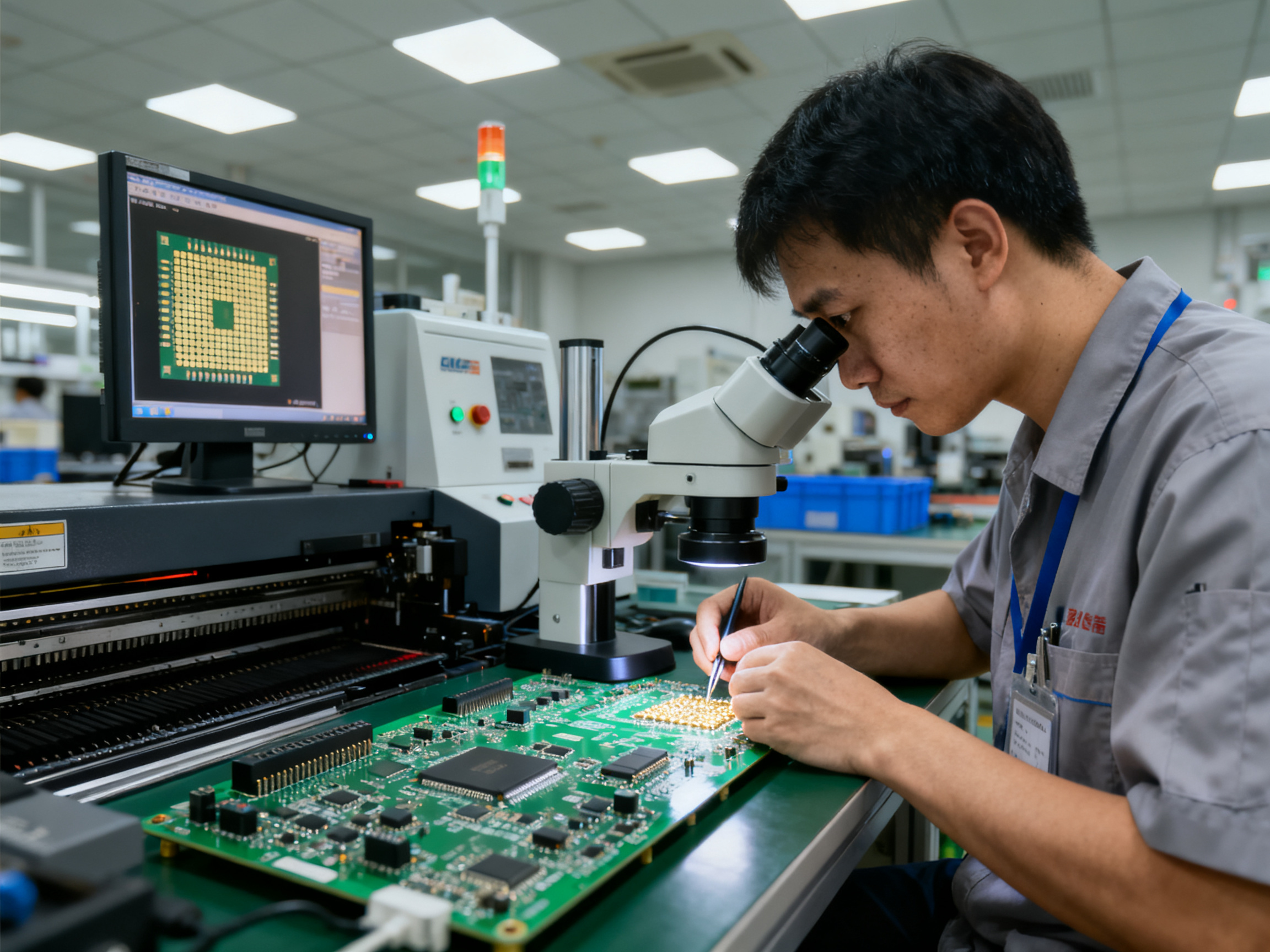
From Our Experience: We worked with an automotive electronics manufacturer last year who was running 10-minute cycle times and wanted to hit 7 minutes for a new high-volume contract. Their board had a mix of large inductors and small 0402 resistors, plus a BGA that made thermal balancing tricky. We profiled their worst-case assembly, identified that their soak zone was running 40 seconds longer than needed, and adjusted the zone temperatures to support faster throughput. The result? They hit their 7-minute target, maintained IPC Class 3 quality standards, and picked up the contract. The profile changes paid for themselves in the first month of production.
Energy Efficiency: Less Dwell Time, Same Quality
Every minute your oven runs is a minute of energy consumption. When you tighten up your profile to only the time you actually need, you save on utilities without changing your output.
Smaller adjustments compound. A 15-second reduction in soak time per board does not sound like much until you multiply it across 500 boards per shift. That is over two hours of reduced oven dwell time every single day. Across a month, the energy savings become meaningful.
Zone temperature tuning also helps here. If your peak temperature is running 5 degrees hotter than necessary, you are burning extra energy in every zone to maintain that unnecessary headroom. Profilers let you see exactly where your margins are, so you can trim the fat without getting close to the edge of your acceptable window.
Yield Improvement: The Continuous Refinement Loop
The best manufacturers treat profiling as never done. They collect data, spot trends, and make incremental improvements that compound over time.
Say your profiler data shows your TAL is running consistently 15 seconds longer than your approved profile. That margin is protecting you from defects, but it is also slowing you down and stressing your components. You investigate, confirm that the longer TAL is not actually preventing any defects, and trim it back. First-pass yield stays flat. Cycle time drops. You just made money by paying attention.
This is what world-class profiling looks like in practice. It is not a one-time setup. It is a continuous feedback loop where your profile data drives decisions, and those decisions generate more data to analyze.
Modern profiling software in 2026 makes this easier than ever. Systems can flag drift automatically, compare current runs to your approved baseline, and alert operators when something shifts outside acceptable limits. Some platforms even use machine learning to suggest profile adjustments based on thousands of production runs.
The goal is simple. Every profile run should teach you something about your process. When you stop learning from your data, your competitors will not.
| Optimization Area | Typical Gain | Primary Benefit |
|——————-|————–|——————|
| Faster belt speed | 15-30% throughput increase | Higher volume |
| Trimmed soak time | 10-20% cycle reduction | Lower energy cost |
| Peak temp optimization | 5-10% energy savings | Reduced component stress |
| Continuous refinement | Variable | Defect rate reduction |
Getting efficient does not mean getting reckless. The fastest profile in the world is worthless if it produces a 15 percent defect rate. The goal is finding the sweet spot where your profile is as fast as it can be while still hitting every quality metric. That is where the real value lives.
Now, what happens when all your profiling and optimization efforts still hit a wall? Sometimes the process itself has limits that your current equipment cannot push past. That is when considering an upgrade makes sense.
Future Trends in Reflow Temperature Profiling Technology
The reflow oven temperature profile you use today will look different five years from now. The technology is shifting, and manufacturers who keep up with emerging trends will have a real edge over those who stick with what worked in 2020.
So what is coming down the pipe? Let’s look at the three biggest shifts shaping reflow profiling right now.
Real-Time Adaptive Profiling
Here is something that would have seemed like science fiction a decade ago. Closed-loop profiling systems now exist that can adjust oven parameters on the fly based on live temperature feedback from your board.
Think about what that means. Instead of running a profile, measuring the results, tweaking settings, and running again, some systems can now watch what is happening to your board in real time and make micro-adjustments automatically. Heaters bump up when a cold spot appears. Cooling rates shift when the system detects uneven solidification.
The technology is not perfect yet. You still need solid baseline profiles and well-placed thermocouples to feed the system good data. But the direction is clear: more automation, fewer manual interventions, faster setup times.
We have started seeing AI-assisted recipe suggestions in some profiler software packages. You input your board characteristics, your paste type, and your constraints, and the software spits out a starting profile recommendation. It is not magic, and you still need to validate everything with real measurements, but it cuts down the trial-and-error phase significantly.
Industry 4.0 Integration
Modern SMT facilities generate massive amounts of profiling data. Every thermocouple reading, every approved profile, every drift event, every defect correlation. Industry 4.0 is about connecting all that data into systems that can spot patterns humans would miss.
Predictive maintenance is one of the biggest wins here. Your profiler data can now feed into dashboards that flag when a heating element is losing efficiency or a convection fan is slowing down. You get alerts before those issues cause profile drift and defect spikes. This turns profiling from a reactive activity into a proactive one.
Fleet-level analytics are also emerging. If you run multiple production lines across different facilities, aggregated profile data lets you identify best practices and spread them across your operations. One factory figures out an optimization, and suddenly all your factories benefit.
The connection between your profiling software and your ERP or MES systems is getting tighter too. Profile qualifications, approval records, and change histories can now flow automatically into quality management systems, making audits less painful and documentation more reliable.
Advanced Solder Alloys and New Thermal Windows
Low-temperature solder alloys are having a moment. Bi-Sn systems with peak reflow around 170 degrees Celsius are moving from experimental to production-ready. For manufacturers focused on energy savings and component stress reduction, these alloys offer real benefits.
The profiling challenge is that these alloys behave differently than SAC305. Lower peak temperature means flux activation timing becomes more critical. Cooling rates that worked fine for lead-free might produce grain structure problems with low-temp alloys. Your profile development approach needs to adapt to these new constraints.
Industry groups like IPC are already updating guidance documents to reflect these changes. The IPC-7530B standard framework now addresses low-temperature profiling considerations alongside traditional lead-free windows.
| Emerging Technology | Current Status | Expected Impact |
|——————–|—————-|——————|
| Closed-loop adaptive profiling | Early adoption | Faster setup, fewer runs |
| AI recipe suggestion | Software feature | Reduced trial-and-error |
| Predictive maintenance analytics | Growing deployment | Less unplanned downtime |
| Low-temp solder alloys | Production ready | New profile windows |
| Fleet-level data integration | Emerging | Cross-facility optimization |
What This Means for Your Operation
You do not need to overhaul everything tomorrow. But staying aware of these trends helps you make smarter equipment purchases and training decisions. When you are evaluating new profiling equipment or software, ask about Industry 4.0 connectivity. When you are qualifying new pastes, ask about low-temperature options.
The manufacturers who thrive over the next five years will be the ones who treat profiling as a living system, not a set-it-and-forget-it checkbox. The technology is evolving fast, and the gap between early adopters and laggards will show up in quality metrics and cost per board.
Expert Recommendations: Implementing World-Class Temperature Profiling
So where do you go from here? You have read about zones, profiles, equipment, troubleshooting, and future trends. But knowing and doing are two different things. Let us talk about what it actually takes to bring world-class temperature profiling into your operation.
The manufacturers who get this right share three things in common. They invest properly in their profiling foundation, they document everything like their business depends on it (because it does), and they treat their profile data as a living system that always has room for improvement.
Here is the thing nobody tells you. You can have the most expensive reflow oven on the market, but if your thermocouple placement is sloppy or your documentation is a mess, your results will show it. The fundamentals matter more than flashy features.
The Three Pillars of Temperature Profiling Excellence
Invest in the Right Tools and People
Your profiler is only as good as the person using it. We have seen companies spend thousands on high-end equipment and still get bad data because nobody on the floor understood proper thermocouple attachment or how to read the profile metrics.
Train your operators to understand what they are measuring and why it matters. Make sure they know how to attach probes correctly, read the full curve, and spot problems before they become defects. The investment in training pays back fast when your first-pass yield climbs.
Use a thermal profiler to map the temperature across your PCB surface. Do not rely on your oven’s built-in sensors alone, as they may not reflect actual board temperatures. Attach thermocouples to critical points on your PCB to monitor actual temperatures during reflow.
Document Everything and Control Your Versions
Treat each approved profile as a controlled document tied to your specific product, paste formulation, board revision, and oven recipe. Re-profile after any product change, paste change, oven maintenance, or repair. This is not bureaucracy. This is what keeps your quality consistent from run to run.
Keep traceable records of your profiler calibration, thermocouple placement method, profile results, corrective actions, and the approval history for each product family. When auditors show up or defects spike, this documentation tells you what changed and when.
Keep Improving Based on Data
Run continuous profiling validation using a dedicated golden board at the start of every production shift or whenever you change product runs. This supports early drift detection and reduces surprises.
Calibrate your oven zones periodically to account for convection fan or heating element degradation. Heater efficiency drifts over time, and your profile will drift with it unless you catch it.
Use your profile data to iterate on soak time, peak temperature, and cooling slope. Verify changes with inspection results and defect trends. Best-in-class factories close the loop: profile, inspect, analyze defects, adjust, re-validate, and document.
Key Takeaways
| What to Do | Why It Matters | When to Do It |
|————|—————-|—————|
| Train operators on proper profiling | Bad technique = bad data = defects | Before first use and annually |
| Document approved profiles | Ensures consistency and traceability | Every profile approval |
| Use golden board monitoring | Catches drift before defects appear | Every shift change |
| Calibrate oven zones | Heaters and fans degrade over time | Monthly or per manufacturer guidance |
| Close the improvement loop | Drives sustained quality gains | Continuously |
Your Next Steps Checklist
Go through this list and mark where you stand today.
- [ ] Confirm your profiler is calibrated and traceable to a national standard
- [ ] Review your last three profile runs. Are they documented with thermocouple maps?
- [ ] Identify your worst-case assembly and confirm it has been profiled recently
- [ ] Check when you last calibrated your reflow oven zones
- [ ] Train or re-train operators on proper thermocouple attachment
- [ ] Set up a golden board monitoring process for production shifts
- [ ] Review your defect history and correlate with any profile changes
Pick one item from this list and make it happen this week. Then pick another next week. Rome was not built in a day, but your profiling process can improve dramatically if you commit to steady, deliberate progress.
The manufacturers who dominate their markets are not the ones with the biggest budgets. They are the ones who pay attention to details like this and refuse to accept “good enough” when “excellent” is within reach.