
Published: 09 April 2026
Reading Time: 7 minutes
Reviewer: Jace Liu, Engineer specializing in Control Systems & STM Technology
Top 10 Control System Simulation Software Tools for Engineers (2026 Edition)
Introduction
There’s something exciting about simulation tools, isn’t there? They’re not just for engineers—they’re problem-solvers disguised as software. Think about this: instead of guessing how your production line might handle a change, you get to test it virtually first. That’s pretty awesome. Around here, we believe tools like these are game changers for engineers who want to save time, money, and improve their designs without spinning wheels on trial and error.
But hey, diving into control software can feel overwhelming. Which ones are worth your time? What features should you look out for in 2026? Whether you’re designing with fuzzy logic or tweaking STM32 systems, there’s a tool out there for you. We’re breaking down the top 10 control system simulation tools engineers need this year!
Jace Liu is a seasoned engineer specializing in control systems and STM technology. He has contributed to engineering journals and consulted SMT companies for over a decade, bringing in-depth knowledge and actionable insights to high-level decision makers about control design tools.

Top 10 Control System Simulation Software Tools for Engineers (2026 Edition)
1. Matlab/Simulink
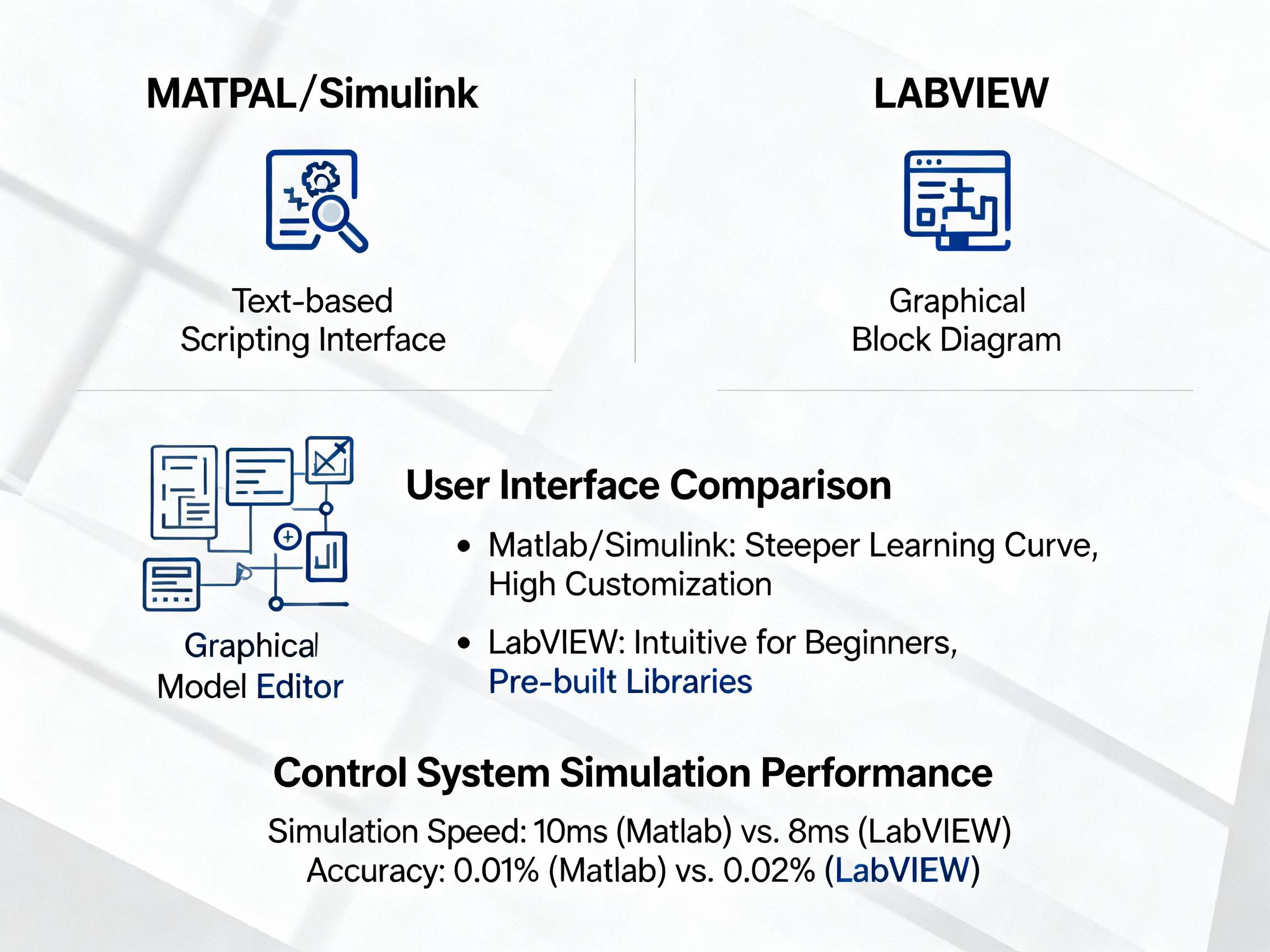
If we’re talking control systems, Matlab/Simulink pretty much owns the spotlight. People love it for its easy integration with physical models and rich visual options. Bonus? Its user base is huge, so finding tutorials is simple. For engineers working with fuzzy logic setups, Simulink shines for handling dynamic modeling with efficiency.
Learn more
2. LabVIEW
LabVIEW isn’t just another simulation tool. It’s known for its graphical programming environment. Engineers trust this for automated testing, dynamic modeling, and even managing STM applications.
Discover features
3. COMSOL Multiphysics
This software steps up your simulation game with multiphysics modeling. That means you don’t just simulate one system—you can layer thermal, mechanical, and electrical systems together. It’s versatile for industrial-use cases.
Read about COMSOL
Pro Insight: Simplifying STM32 configurations is a breeze with support tools like Simulink. It’s especially good for digital control debugging.
4. OpenModelica
Want something free? OpenModelica packs open-source flexibility for engineers who love tweaking their models. It works well for academic research and operational use—without the price tag.
Explore OpenModelica
5. Automation Studio
This tool is designed for precision, bringing simulation to automation and hydraulics. Working on production line controls? Automation Studio’s features for debugging moving components simplify your projects.
Learn about Automation Studio
6. MapleSim
For engineers who love system-level modeling, MapleSim offers libraries to create powerful virtual prototypes. It’s clean and user-friendly, too.
Visit MapleSim
7. REX Control System
REX is designed for real-time implementation with leftover support in industrial labs. While not as widely discussed, its niche focus makes STM engineers happy.
Details here
8. ANSYS Twin Builder
Why use digital twins? This simulation software is leagues ahead for engineers helping manufacturing hand-offs faster!
Read about ANSYS Builder tools
9. Acumen Optimization Suite
Acumen stands out for integrated simulation coupled with deep data analytics. Engineers who focus on identifying production inefficiencies find it invaluable when streamlining workflows and minimizing troubleshooting time. Its reports are highly visual, making them perfect for quick evaluations during stressful project crunch times.
Learn about Acumen
10. Siemens NX Simulation Tools
Focused on industrial manufacturing, Siemens NX provides end-to-end solutions for modeling interconnected systems. It’s highly useful for electronics manufacturers seeking automation-friendly tools that also predict outcomes with digital twins.
Discover Siemens NX
Expert Tip: Picking software like Siemens NX is a smart move for firms scaling operations; it blends modeling features with cost efficiency better than standalone options in the same class.
Conclusion: Choosing the Right Control System Tool
Picking the right simulation software isn’t just about features. It’s about solving your biggest pain points, like high costs or frequent downtime. For instance, companies using Acumen Suite reported saving upwards of $20,000 annually in troubleshooting costs alone.
And don’t forget flexibility! Tools like REX Control System or OpenModelica are lifesavers for smaller businesses eyeing free yet functional options. When scaling up, spending a bit more on premium services like Matlab/Simulink brings massive ROI—whether it’s smoother integrations or faster debugging for STM32 setups.
Expert Tip: For businesses scaling operations, don’t overlook value from cost-sharing software leasing programs; Siemens NX is a practical pick for dynamic industrial needs.
It’s all about choosing what suits your goals for 2026. Need help navigating the options? Drop us comments below; we love sharing detailed industry insights!
Published: 09 April 2026
Reading Time: 7 minutes
Reviewer: Jace Liu, Engineer specializing in Control Systems & STM Technology