
Published: 16 February 2026
Reading Time: 12 minutes
Reviewer: Simon Scrapes, Founder
This guide is for EMS and OEM production engineers, procurement teams, and supply chain managers evaluating SMT conveyor belt and PCB conveyor systems for electronics manufacturing lines. It covers belt conveyors and related PCB conveyor configurations, excluding general material-handling equipment.
Introduction: Why PCB Conveyors Matter in SMT Lines
You know that feeling when your SMT line just doesn’t flow right? Your pick-and-place machine hums along perfectly. Your reflow oven hits every profile. But somehow, boards pile up between stations. Or worse, operators spend half their shift manually shuffling PCBs instead of watching for defects.
That gap between machine capacity and actual throughput usually lives in the conveyor system.
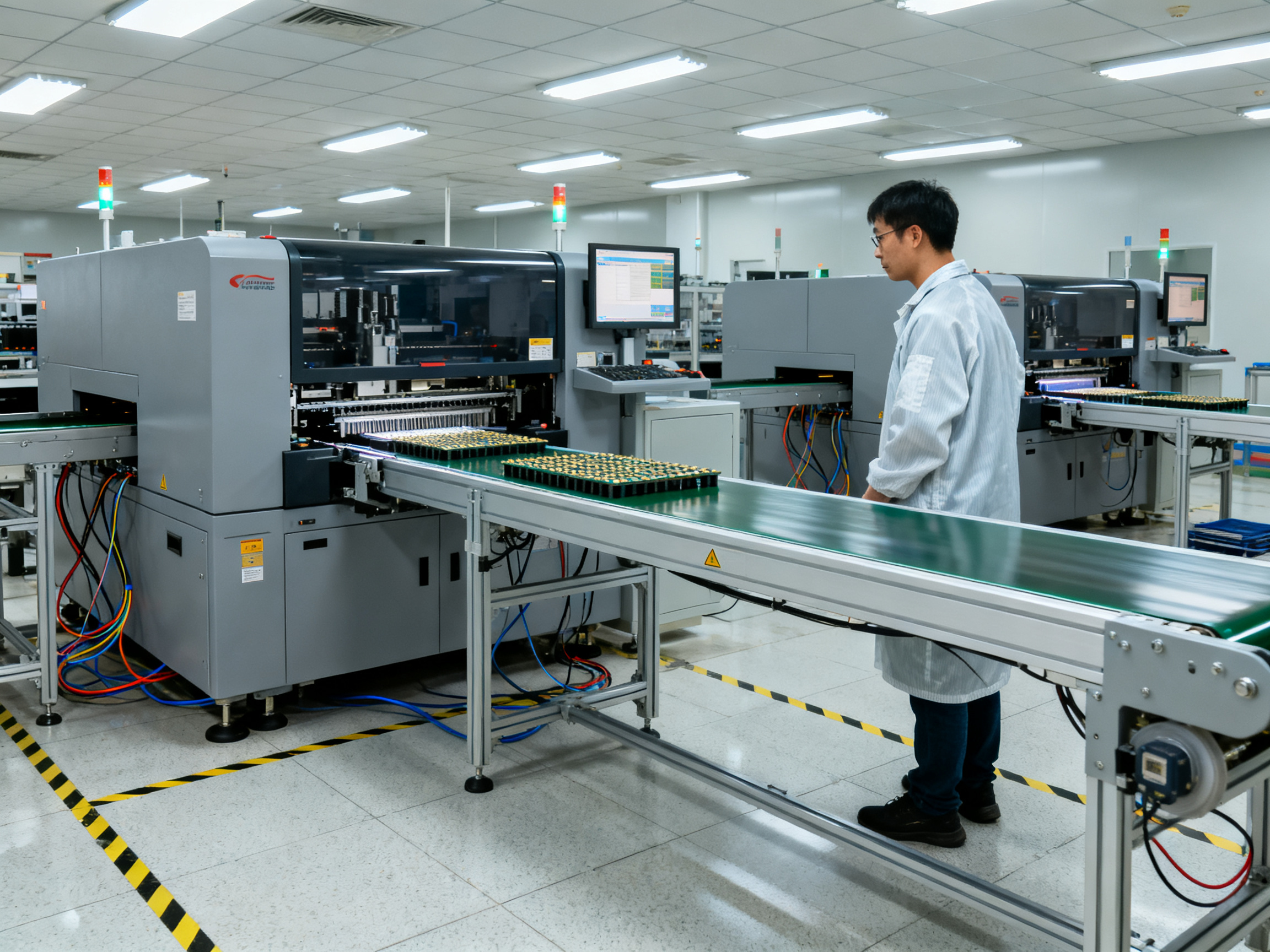
A PCB conveyor does one job, and it does it constantly: it moves boards from station to station in a repeatable, controlled way. Printer to placer. Placer to reflow. Reflow to AOI. Unloader to rack. When that handoff breaks down, your whole line feels it.
This guide walks through what SMT belt conveyors actually do, the different types available, how they fit into real production lines, and what to look for when you’re buying one. Whether you’re setting up a new line or upgrading a cramped cell, we’ll help you figure out what conveyor setup makes sense for your operation.
About the Author: With years of hands-on experience integrating SMT equipment into production environments, the author has worked directly with PCB assembly lines, conveyor systems, and line balancing across mid-to-high volume manufacturing settings. This background informs every recommendation in the guide.
What Is an SMT Belt Conveyor? Definition, Function, and Role
An SMT belt conveyor is a controlled PCB transport module designed to move circuit boards between production stations while keeping them oriented, spaced, and aligned. Think of it as the workhorse that connects your printer to your placer, your placer to your reflow oven, and your reflow oven to inspection. It does the job quietly and constantly, and you only really notice it when something goes wrong.
So what does an SMT belt conveyor actually do? It transfers boards at a set height and speed, accumulates or separates boards when needed, and cuts out the manual shuffling that would otherwise eat up operator time. When that handoff breaks down, boards pile up, get damaged, or worse, hold up your entire line while everyone waits for someone to fix the jam.
Here’s the thing though. A conveyor isn’t the same as a loader, unloader, buffer, turn unit, or elevator. These are related pieces of the puzzle, but they serve different jobs. Loaders feed boards in. Unloaders take them out. Buffers store boards temporarily to smooth out timing differences between machines. Turn units change board direction. Elevators lift or lower boards between levels. The conveyor is the straight-line transport piece that moves boards from point A to point B. The best production lines pick each component based on what the full PCB conveyor system needs to do, not just grab whatever is cheapest.
Now, not all conveyors work the same way. The most common types use belts that grip the board edges, chains or rails that guide the panel along its sides, or underside supports that carry the board from below. Belt-based transport works well for most standard boards. It’s smoother and cleaner, and it keeps the component area free from contact. Chain or rail conveyors are tougher and better suited for heavier boards or rougher environments. Underside support comes in handy when boards are thin, long, flexible, or prone to sagging, because you need something under the panel to keep it from bowing mid-transfer.
The choice between these transport methods comes down to your board’s characteristics: how thick it is, how heavy, whether it has components hanging off the edges, and how much clearance you have underneath. Get this right and your boards flow smoothly. Get it wrong and you’re dealing with jams, misalignment, or damaged assemblies. Most standard SMT boards do fine with edge-belt transport, but always verify against your actual product specs before committing to a conveyor type.
Expert Tip: Conveyor width, transfer direction, board dimensions, and line layout all affect the correct conveyor configuration. Always match the transport mechanism to your board first, not the other way around.
For a detailed comparison of how different SMT conveyor types stack up against each other, check out our breakdown of SMT conveyor types and their uses.
SMT Conveyor Types and Their Uses
Not all SMT conveyors look the same or do the same job. A conveyor built for reflow oven exit handles boards differently than one sitting at an AOI station or one feeding a loader. Getting the right type for each position in your line matters more than most people realize until something starts jamming.
Let’s break down the main conveyor configurations you’ll encounter and when each one makes sense.
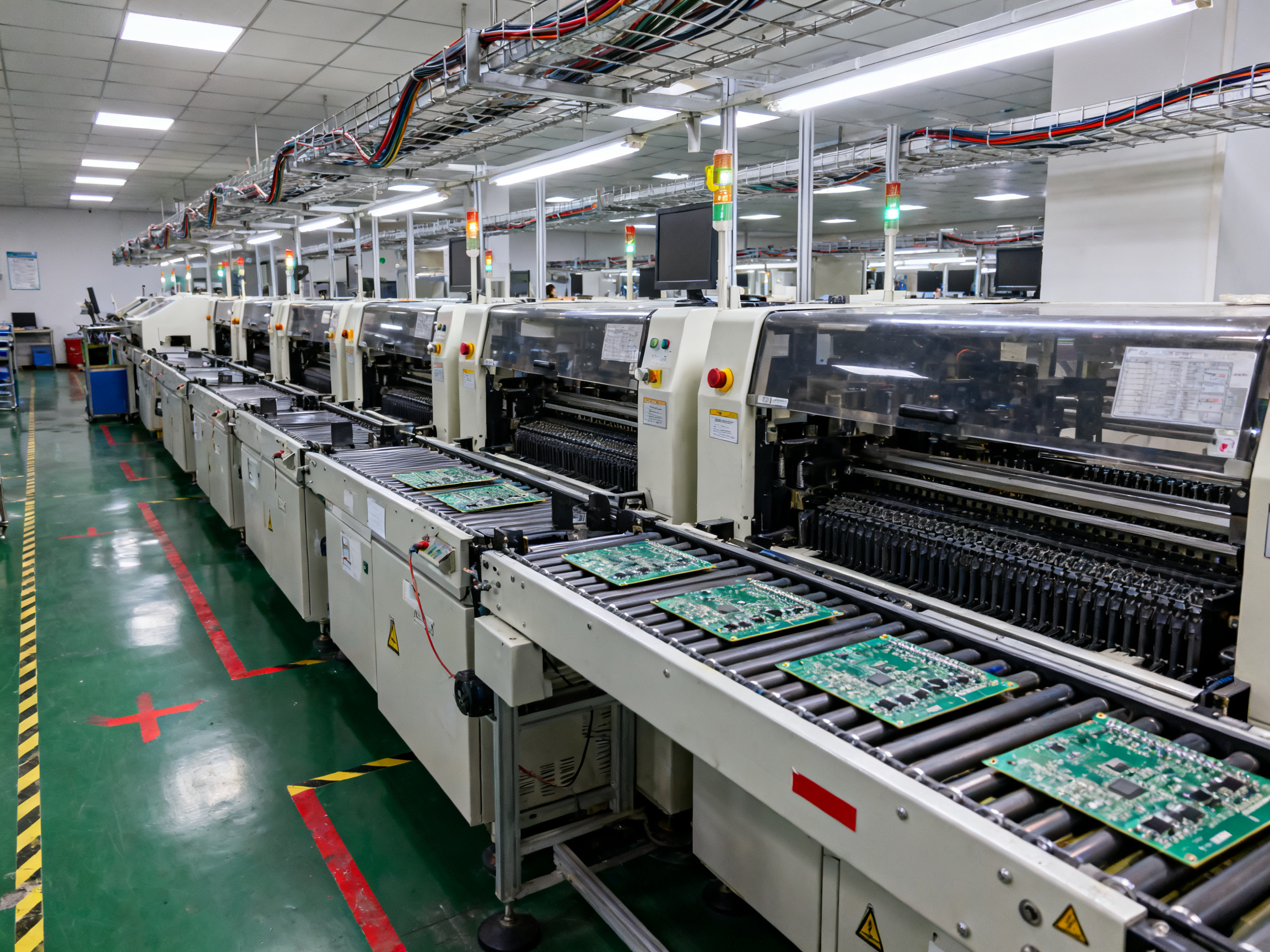
Straight In-Line Conveyors
Straight conveyors are the workhorses of any SMT line. They connect printer to placer, placer to reflow, reflow to AOI. Simple point-to-point transfer with no frills.
What you’re shopping for here: length, width range, transfer height, and speed. Most standard units sit around 900 to 950 millimeters in height, with rail widths that adjust to fit boards from about 50 millimeters up to 350 or 460 millimeters wide. Speed typically ranges from 0.5 to 12 meters per minute depending on the model.
The catch is that “straight” doesn’t mean “one-size-fits-all.” A short transfer module that bridges two machines sits right at your reflow exit typically needs different specs than a long link conveyor running between multiple stages. Know your board dimensions and line footprint before you buy.
Inspection and Work Conveyors
These are the stations where operators actually touch the boards. AOI inspection points, manual verification, testing, rework, anything that needs human eyes or hands.
The design priorities shift here. You want good operator access, which means wider aisles or swing-away guarding. ESD protection stays non-negotiable, but now you’re also thinking about board stops, tilt angles, and whether the conveyor can hold a board steady while someone pokes at it with a probe.
Some work conveyors include barcode readers, signal lights, or accumulation zones that let boards queue up without blocking upstream equipment. If your inspection step is a bottleneck, a buffer-equipped work conveyor might buy you some breathing room.
Specialized Configurations
Sometimes straight won’t cut it. Here’s where things get more interesting:
Buffer conveyors accumulate boards between process steps. When your reflow oven runs faster than your AOI, a buffer soaks up that difference so the oven doesn’t have to slow down. Sizes range from compact 1-meter units to 5-meter accumulation tracks.
NG/OK diverters route failed boards to a reject lane while good boards continue on. Critical for automated quality gates.
Turn conveyors change board direction. If your line makes a 90-degree bend, you need one of these. Some flip the board over; others just rotate it.
Elevators and lifts raise or lower boards between production levels. Useful for multi-floor facilities or when you need to interface with equipment at different heights.
Adjustable-rail conveyors let you change the width on the fly. If you’re running multiple board sizes, this flexibility prevents changeover headaches.
Belt vs. Chain: Which Transport Method Wins?
Here’s the real comparison that matters:
| Feature | Belt Conveyors | Chain/Edge-Support Conveyors |
|———|—————-|——————————|
| Best for | Standard boards, clean environments | Heavy boards, harsh conditions |
| Component clearance | Excellent underneath | Limited by rail height |
| Maintenance | Regular belt cleaning and tracking | Chain tensioning and lubrication |
| Durability | Good for moderate use | Higher for rugged applications |
| Board contact | Minimal edge contact | Full rail edge support |
Belt conveyors keep the board underside mostly free. That matters when you have tall bottom-side components. But belts wear out, track off-center, and collect flux residue if your process generates a lot of spatter.
Chain and edge-support conveyors grip the board by its rails. More robust, easier to clean, better for heavy panels. But you need to watch component overhang since parts near the edge can interfere with the rail path.
Expert Tip: Conveyor width, transfer direction, board dimensions, and line layout all affect the correct conveyor configuration. Always match the transport mechanism to your board first, not the other way around.
For most standard SMT work, edge-belt transport does the job fine. But if you’re running thick rigid boards, heavy assemblies, or boards with bottom-side components that stick down past the board plane, chain or edge-support might be your better bet.
The smart move is to look at your worst-case board and work backward. What clears the rails? What keeps it flat at transfer points? That answer tells you which transport method you actually need.
What Are the Main PCB Conveyor Components?
Let’s crack open an SMT conveyor and see what makes it tick. Understanding these parts helps you know what to check during maintenance and what to look for when comparing suppliers.
Transport Mechanism
At the heart of every PCB conveyor is the transport mechanism. This is what actually moves your boards through the line.
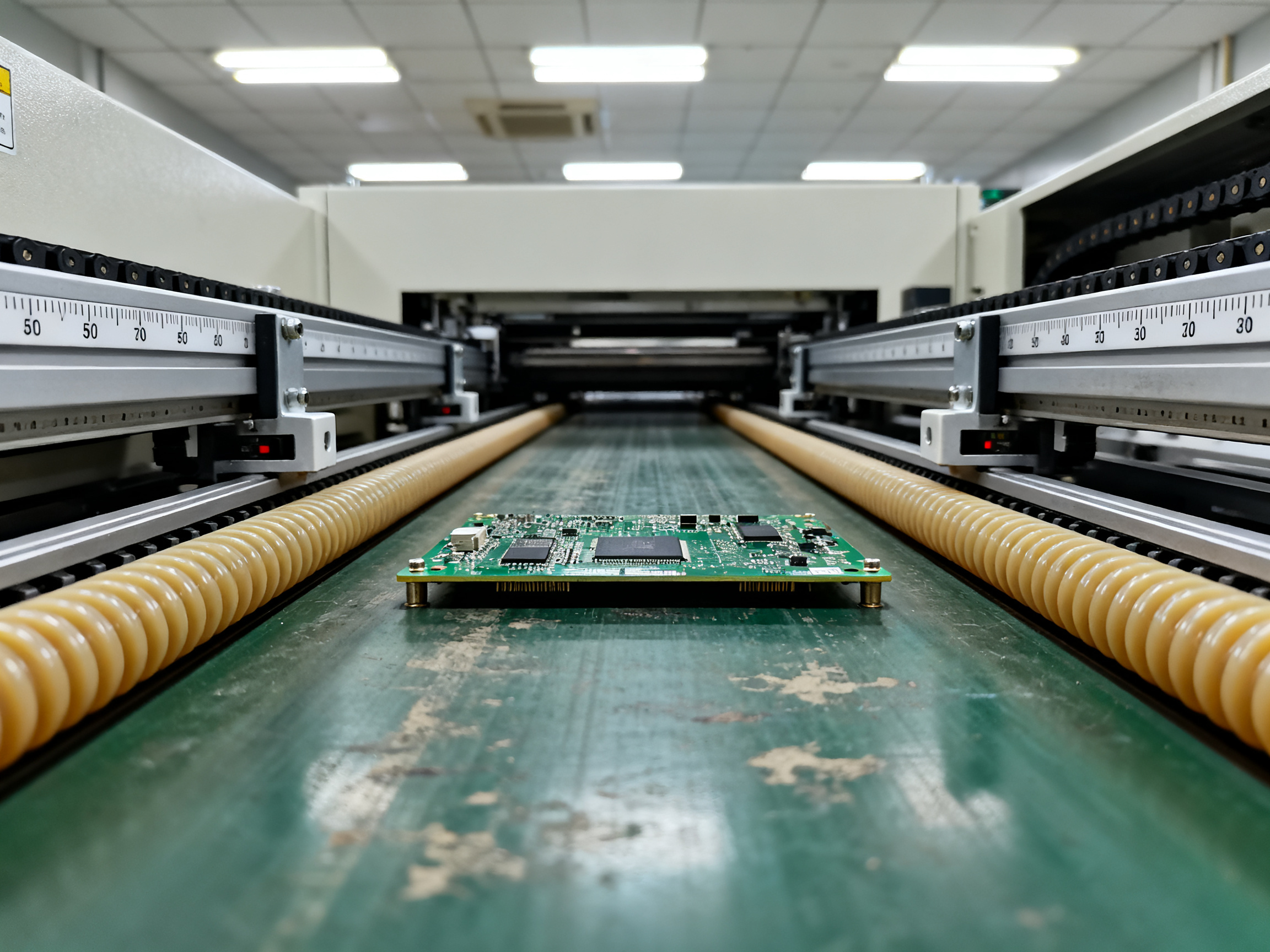
Belt conveyors use flat belts, usually made from polyurethane or similar materials, that run along the edge channels. These belts grip the board edges and pull it forward. Chain conveyors use linked chains or rail systems instead. They tend to be tougher and work better for heavy boards.
The motor drives the system. Most conveyors use stepper motors or servo motors that let you control speed precisely. Drive rollers or sprockets connect the motor to the belts or chains.
Side rails guide the board and keep it from drifting sideways. They need to be adjustable so you can fit different board widths. Board supports underneath prevent sagging, especially for longer panels.
Sensing and Controls
Photoelectric sensors detect where your board is at any moment. You typically have sensors at the infeed, midpoint, and outfeed positions. These feed information back to the PLC or controller.
The PLC handles all the logic. It manages speed, timing, and communication with other machines. Most SMT conveyors support SMEMA-style handshaking, which lets machines talk to each other. When one machine is busy, it signals the conveyor to hold boards back.
Emergency stops must be accessible and wired into the fault chain. If something goes wrong, the whole line should stop releasing boards.
Construction and ESD
The frame needs to be rigid and grounded. ESD-safe materials matter throughout the transport path, not just on the belts. Look for conductive or dissipative components and verified grounding points.
Guarding covers pinch points and moving parts. Access panels let maintenance technicians get to belts, rollers, and sensors for cleaning and replacement.
Wear Items to Track
| Component | Function | Common Failure | Inspection Method |
|———–|———-|—————-|——————-|
| Belt | Board transport | Glazing, cracking, tracking drift | Visual check, resistance test |
| Rollers/Sprockets | Motion transfer | Bearing play, wear | Rotate by hand, check noise |
| Photoelectric Sensors | Board detection | Lens contamination, misalignment | Clean lens, verify trigger |
| Side Rails | Board guidance | Width drift, looseness | Measure rail gap, tighten |
| Motor | Drive power | Reduced torque, overheating | Check current draw, temperature |
Belts, rollers, bearings, and sensors are the parts you’ll replace most often. Factor these costs into your total cost of ownership when evaluating conveyors.
How SMT PCB Conveyors Improve Production Flow
Here’s where the rubber meets the road. A well-designed PCB conveyor system does more than just move boards around. It actively shapes how your line performs day to day.
Fewer Manual Touchpoints, More Consistent Output
Automated board transfer cuts out the operator shuffles that used to eat up production time. Instead of someone manually carrying boards from printer to placer, conveyors handle the handoff. Every single time. That consistency matters more than most people realize until they see the difference.
When boards move automatically, the spacing between them stays predictable. Your pick-and-place doesn’t have to guess when the next board is coming. Your AOI station can plan its inspection timing. That predictability is what lets you actually balance a line instead of just hoping it’s balanced.
Where Conveyors Sit Across the SMT Process
PCB conveyor systems show up everywhere in a production line. Here’s the typical footprint:
- Paste printing – Feed conveyors deliver boards to the printer at the right rate
- Pick and place – Inline conveyors feed and receive boards from the placer
- Reflow soldering – Transfer conveyors link printer, placer, and oven in sequence
- AOI and SPI – Inspection conveyors position boards precisely under cameras
- X-ray and testing – Work conveyors hold boards steady for operators or probes
- Repair and rework – Technician-accessible conveyors with stops and tilts
- Depaneling – Outfeed conveyors carry boards to separation
- Final assembly – Unload conveyors send finished boards to packaging
That coverage means most of your production flow depends on these machines working right. Pick the wrong conveyor for a station, and you’ll feel it downstream.
What This Means for EMS and OEM Operations
For electronics manufacturers, conveyor choice ties directly to what you care about most. Changeover speed matters when you’re running multiple board sizes. Traceability gets easier when boards flow through systems that can read barcodes and log positions. Work-in-process drops when buffers smooth out timing differences between machines. And operator safety improves when people aren’t reaching into live transfer zones to hand off boards.
The ability to reconfigure your line matters too. Maybe you need to add a station next quarter. Maybe your product mix is shifting. Conveyors that support quick width changes and modular expansion let you adapt without rebuilding the whole line.
The Reality Check
But here’s the thing. A conveyor can’t fix a reflow oven that runs too slow. It can’t compensate for a pick-and-place that can’t keep up. If your bottleneck is upstream or downstream of the conveyor, adding more transfer capacity won’t help. The conveyor keeps boards moving, but it doesn’t create capacity where none exists.
Same goes for process synchronization. If your printer and placer aren’t talking to each other, boards will still pile up or gap out regardless of how good your conveyors are. Conveyors are enablers, not magic problem-solvers. They do their job best when the rest of your line is doing its job too.
The takeaway? Conveyors are foundational, but they’re part of a system. Get the conveyor right, and you remove one source of variability. Get everything else right too, and your line actually performs the way the cycle time charts say it should.
How to Choose the Right PCB Conveyor System
Picking a conveyor sounds simple until you realize how many variables actually matter. Get one wrong and you’re dealing with jams, misaligned boards, or a system that won’t talk to your existing equipment. Here’s how to work through the decision without getting overwhelmed.
Start With Your Boards
Before you look at any conveyor specs, write down what you’re actually running. Minimum and maximum PCB dimensions. Thickness. Weight. Whether you’re dealing with rigid boards, flex boards, or rigid-flex combos. Component height on both sides. Underside clearance. Edge condition. ESD sensitivity.
This matters because a conveyor that works fine for a standard 1.6mm rigid board might completely fail on a thin 0.8mm flex panel or a heavy 5kg power supply board. The transport mechanism that handles one won’t necessarily handle the other.
We once spent two weeks chasing transfer issues on a line that was running perfectly fine for months. Turned out someone changed a board supplier and the new boards were 0.3mm thicker. The rails were set for the old spec and boards were catching on every transfer. Once we documented the actual board envelope, the problem disappeared.
Match the Conveyor to Your Line
Now look at your production environment. Transfer height needs to match your other equipment. Most lines run around 900 to 950 millimeters. Speed range matters if you’re running fast or slow compared to standard specs. Machine interfaces need to be compatible with your existing handshake protocols, whether that’s SMEMA or the newer Hermes standard.
Also think about floor space. Buffer needs. Operator access for changeovers and cleaning. And whether you’ll need to add equipment later. A modular system that expands easily costs more upfront but saves money down the road.
Evaluate the Real Cost of Ownership
The sticker price is just the beginning. Look at changeover method and how long width adjustments take. Check sensor reliability and how easy it is to replace parts when they fail. Think about noise levels if you’re running in an open bay. Energy use adds up over thousands of hours.
Service access matters more than most buyers realize. Can your maintenance team actually get to the belts, rollers, and sensors without disassembling half the machine? Spare parts availability, warranty terms, training included, and whether there’s regional support nearby all affect your total cost picture.
Pro Insight: Use a weighted decision matrix that separates must-have compatibility requirements from nice-to-have features. Your must-have list should include board dimensions your conveyor must handle, interface protocol it must support, and height it must match. Desirable features like motorized width adjustment or remote diagnostics come after you lock down the requirements you cannot compromise on.
The Selection Checklist That Actually Works
Before you sign anything, get answers to these questions:
| Criteria | What to Verify |
|———-|—————-|
| Compatibility | Board width, length, thickness, weight range; underside clearance; flex/rigid format support |
| Performance | Speed range and repeatability; throughput capacity; changeover time between board sizes |
| Integration | Transfer height; interface protocol (SMEMA, Hermes, or both); signal mapping and I/O details |
| Service | Spare parts lead time; warranty coverage; regional support response time; training included |
| Cost | Base price; installation and commissioning; tooling; preventive maintenance; downtime risk |
Ask suppliers to validate with your actual worst-case board, not just a representative sample. A conveyor that handles your standard boards but chokes on your largest or thinnest one will cause problems in production.
Total Cost View
Factor in installation and commissioning time. Budget for tooling and fixturing. Add the cost of preventive maintenance over the expected machine life. Quantify the risk of unplanned downtime. Include consumables like belts and sensors. And think about retrofit or expansion costs if your product mix changes.
A cheaper conveyor that needs more maintenance or causes more downtime often costs more over three years than a more expensive unit that’s reliable and easy to service.
The best purchase decisions start with knowing your boards, matching to your line, and looking at true cost of ownership rather than just the initial price tag.
Installation, Integration, and Maintenance Checklist
Getting a PCB conveyor into your line and keeping it running right takes more than uncrating and plugging in. Here’s what to check at each stage.
Installation: Set It Up to Run Right
Before you power anything on, spend time on setup. It pays off later.
Level the conveyor base and check it stays level. Align it with your upstream and downstream machines so transfer points line up cleanly. Verify the transfer height matches your other equipment, usually around 900 to 950 millimeters. Confirm the rail width is set for your actual board size. Rail drift is one of those things that causes jams months into production, so measure and document the starting position now.
Ground the frame at each module and check bonding between sections. ESD issues often show up after the machine has been running for a while, so verify grounding early. Check guarding on all pinch points. Install covers and emergency stops before you start production.
Commissioning: Run Your Real Boards
Don’t commission with test boards. Use your actual product, including your worst-case board size and heaviest panel.
Verify sensor operation at the infeed, midpoint, and outfeed. Check transfer timing, speed accuracy, and stop positions under load. Test machine handshakes with upstream and downstream equipment. Verify accumulation behavior and emergency stop response. Finally, confirm the system recovers cleanly after a fault, because that moment of truth tells you everything about how the conveyor will behave under pressure.
From Our Experience: Commissioning checks and preventive-maintenance practices that reduce jams, transfer faults, board damage, and unplanned downtime. We learned this the hard way after spending a full shift chasing a transfer issue that turned out to be a misaligned sensor. Document your baseline settings during commissioning, and troubleshooting becomes 10 times faster when problems show up later.
Preventive Maintenance Schedule
| Interval | Tasks |
|———-|——-|
| Daily | Visual belt inspection; clear debris from transport path |
| Weekly | Belt tension check; guide rail cleaning; sensor lens wipe |
| Monthly | Sensor and SMEMA verification; belt resistance check; grounding continuity test |
| Quarterly | Roller and bearing inspection; rail alignment check with dial indicators |
| Annual | Comprehensive component review; firmware updates; full calibration verification |
Operator and Technician Training
Train your operators to clear jams without damaging boards. Document recurring faults with board ID, location, rail settings, and recovery action. Use a controlled changeover procedure when switching between different PCB sizes. Verify rail settings match documentation every time.
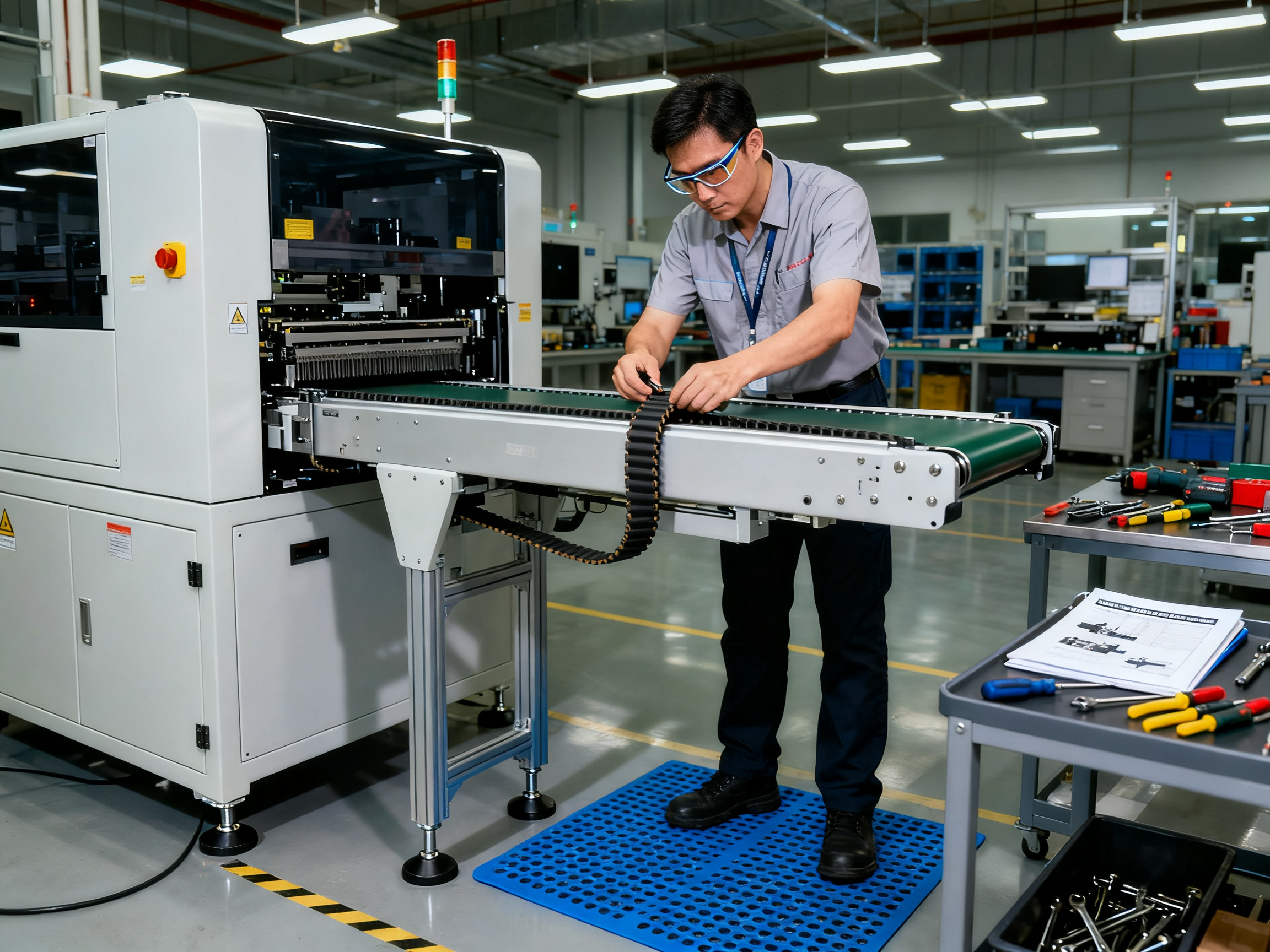
Get this right at the start and your conveyor mostly stays out of your way.
Common PCB Conveyor Selection Mistakes and Troubleshooting Clues
Most conveyor problems do not start on the production floor. They start in the purchasing office.
Mistakes That Cost You Later
Specifying only nominal PCB size while ignoring bottom-side components is one we see all the time. Boards with tall parts underneath catch on rails or supports. Get this wrong and you will spend months chasing jams that have nothing to do with the conveyor itself. Choose based on your worst-case board, not the average one.
Overlooking the smallest board is another trap. Thin boards sag and flex more than thick ones. A conveyor that handles your 2.4mm panels just fine might murder your 0.8mm flex boards.
Assuming universal machine compatibility gets people in trouble too. Not all conveyors play nice with all equipment. SMEMA and Hermes protocols behave differently, and some machines need specific handshake timing. Verify before you buy.
Choosing on price alone without service support is a fast path to long downtime. A cheap conveyor with poor backup costs more over three years than a solid unit with good support.
Symptom-to-Cause Troubleshooting
| Symptom | Likely Cause | Quick Fix |
|———|————-|———–|
| Board skew | Rail misalignment, tracking drift | Measure rail gap, check belt tension |
| Missed transfers | Gap mismatch, timing errors | Verify height, check sensor timing |
| Random stops | Sensor contamination, comm fault | Clean lens, check PLC I/O |
| ESD damage | Poor grounding, bad belt resistance | Test ground continuity, replace belt |
| Jams at transfer | Height mismatch, debris | Align machines, clear transport path |
Red Flag Checklist: Before signing with any supplier, confirm they can handle your actual board envelope. Watch for units without ESD documentation, poor spare parts availability, or no local service support. Be wary of quotes that skip questions about bottom-side clearance or interface protocol.
When to Call for Help
Some issues are quick fixes. Clean the sensor. Adjust the rail width. But recurring jams, persistent interface failures, and ESD problems that will not go away point to bigger issues. Line-balance problems, grounding failures, and board designs that do not fit any conveyor on the market need an integrator or your equipment supplier. Safety and electrical diagnosis should always follow qualified personnel and local procedures.
Conclusion: Match the Conveyor to the Whole SMT Line
An SMT conveyor is not just a metal frame with a belt on it. It is a controlled PCB-handling link that connects your machines, protects your boards, and keeps your line running at the speed your cycle time charts promise. The right choice comes down to understanding your board first, then matching the transport mechanism, interface, and support to what your product actually needs.
Board characteristics drive the decision. Thickness, weight, bottom-side clearance, and component overhang tell you whether belt transport, edge-support, or underside guidance is the right fit. Line position tells you what type of conveyor you need at each station. Interfaces tell you whether SMEMA, Hermes, or both will handle the handshakes. And lifecycle support tells you whether that cheaper unit will cost more or less over three years of production.
Your Action Checklist
Before you talk to any supplier, work through these steps in order:
- Document your PCB envelope. Minimum and maximum width, length, thickness, and weight. Component height on both sides. Underside clearance needed.
- Map your line. Station positions, transfer heights, space constraints, and where buffers or diverters would help.
- Define acceptance criteria. Speed range, interface protocol, ESD requirements, and changeover time for your board sizes.
- Compare belt vs. edge-support. Match the transport method to your worst-case board, not your average one.
- Validate with real boards. Ask suppliers to run your actual product during demos or FAT.
- Calculate total cost of ownership. Include installation, PM, spares, downtime risk, and support.
Conveyor Type Quick Reference
| Conveyor Type | Best Use Case | Key Consideration |
|—————|—————|——————–|
| Straight in-line | Standard point-to-point transfer | Match height and width to your line |
| Inspection/work | Manual stations, AOI, rework | Good operator access and ESD protection |
| Buffer/accumulation | Decoupling mismatched cycle times | Size for your worst-case gap |
| NG/OK diverter | Automated quality gates | Verify sort accuracy and lane capacity |
| Turn/flip | Direction changes, board rotation | Check flip mechanism for component clearance |
| Elevator/lift | Multi-level lines, height transitions | Verify travel range and cycle time |
Next Steps for EMS and OEM Readers
Start by gathering your machine-interface data. Know your transfer heights, handshake protocols, and board dimensions before reaching out to suppliers. Request detailed proposals that include spare parts lists, warranty terms, and FAT/SAT procedures. Schedule an integration review or factory-acceptance test before committing to equipment. The goal is to remove conveyor-related variability from your line, not add another variable to troubleshoot.
Expert Perspective: The recommendations in this guide reflect current SMT conveyor best practices as of 2026. Specific equipment selections should be validated against your actual production requirements and confirmed with qualified suppliers or integrators before purchase.
About the Author: This guide synthesizes current SMT conveyor best practices, manufacturer documentation, and integration guidance from multiple industry sources. No single author identity or biography was supplied for this article. Recommendations should be attributed to verified credentials once the author provides documented experience with SMT equipment, PCB assembly, or electronics manufacturing.
For more details on specific conveyor types, installation procedures, or supplier evaluation criteria, explore the related sections throughout this guide or connect with equipment specialists who can validate selections against your production environment.