
Published: 17 October 2026; last updated: 17 October 2026
Reading Time: 15 minutes
Reviewer: [Reviewer name, if assigned]
Reviewer Credentials: [Relevant SMT process or electronics manufacturing credentials, if assigned]
—> Published: 17 October 2026; last updated: 17 October 2026
Reading Time: 15 minutes
Reviewer: [Reviewer name, if assigned]
Reviewer Credentials: [Relevant SMT process or electronics manufacturing credentials, if assigned]
You’ve got a line full of expensive components sitting on a board. Now you need to melt the solder without turning that board into a frisbee or turning your yield rate into a sad story.
That’s exactly what reflow soldering does, and getting it right is the difference between hitting your quality targets and spending your whole week on rework.
In surface mount technology, reflow is where the magic happens. After solder paste gets printed onto the PCB and components get placed, the assembly moves through a reflow oven where heat transforms that paste into real, reliable joints. Too cold, and you get cold solder joints or incomplete wetting. Too hot, and you damage components or cause board warpage. Too uneven, and different parts of the same board end up in different thermal worlds.
IPC standards, especially IPC-7530B, make it clear: the actual board temperature at specific locations matters far more than whatever temperature the oven display shows. That’s a distinction production engineers and equipment buyers need to internalize before signing off on any reflow process.
This guide walks through how reflow ovens actually work, the four stages of a proper thermal profile, how to set up and validate your process, and how to troubleshoot the most common defects. Whether you’re running an SMT line, spec’ing equipment for your facility, or trying to figure out why your defect rate keeps climbing, we’ve got you covered.
Here’s the basic sequence you’ll see on any SMT line:
Paste Printing → Component Placement → Reflow Soldering → Post-Reflow Inspection
Reflow sits right in the middle of that flow, and everything downstream depends on whether you nailed it. Let’s get into it.
About the Author
Written by [Author name]. At this time, no verified author biography with specific SMT production experience, reflow profiling credentials, or electronics manufacturing credentials is available for this article. The technical content draws on IPC standards, SMTA guidance, and recognized industry engineering practices to provide accurate, standards-aligned information on reflow soldering processes.
What Is Reflow Soldering, and Where Does It Fit in SMT Assembly?
Reflow soldering is a controlled heating process that transforms printed solder paste into permanent electrical joints. The assembly enters the oven with tacky paste holding components in place. Inside, heat activates the flux, melts the solder alloy, and allows it to wet the component terminations and PCB pads. Controlled cooling then solidifies the joint.
This method differs from wave soldering, which bathes the entire board underside in molten solder, and selective soldering, which targets specific joints with a localized fountain. Hand soldering remains the most operator-dependent approach, best suited for prototypes, repairs, and low-volume work. Reflow dominates modern SMT because it handles fine-pitch components, BGAs, and dense assemblies with consistent, repeatable results across high production volumes.
Here’s the complete SMT assembly flow:
| Step | Process | Purpose |
|——|———|——–|
| 1 | Paste Printing | Deposits solder paste onto PCB pads |
| 2 | Component Placement | Pick-and-place positions components |
| 3 | Reflow Soldering | Oven creates permanent joints |
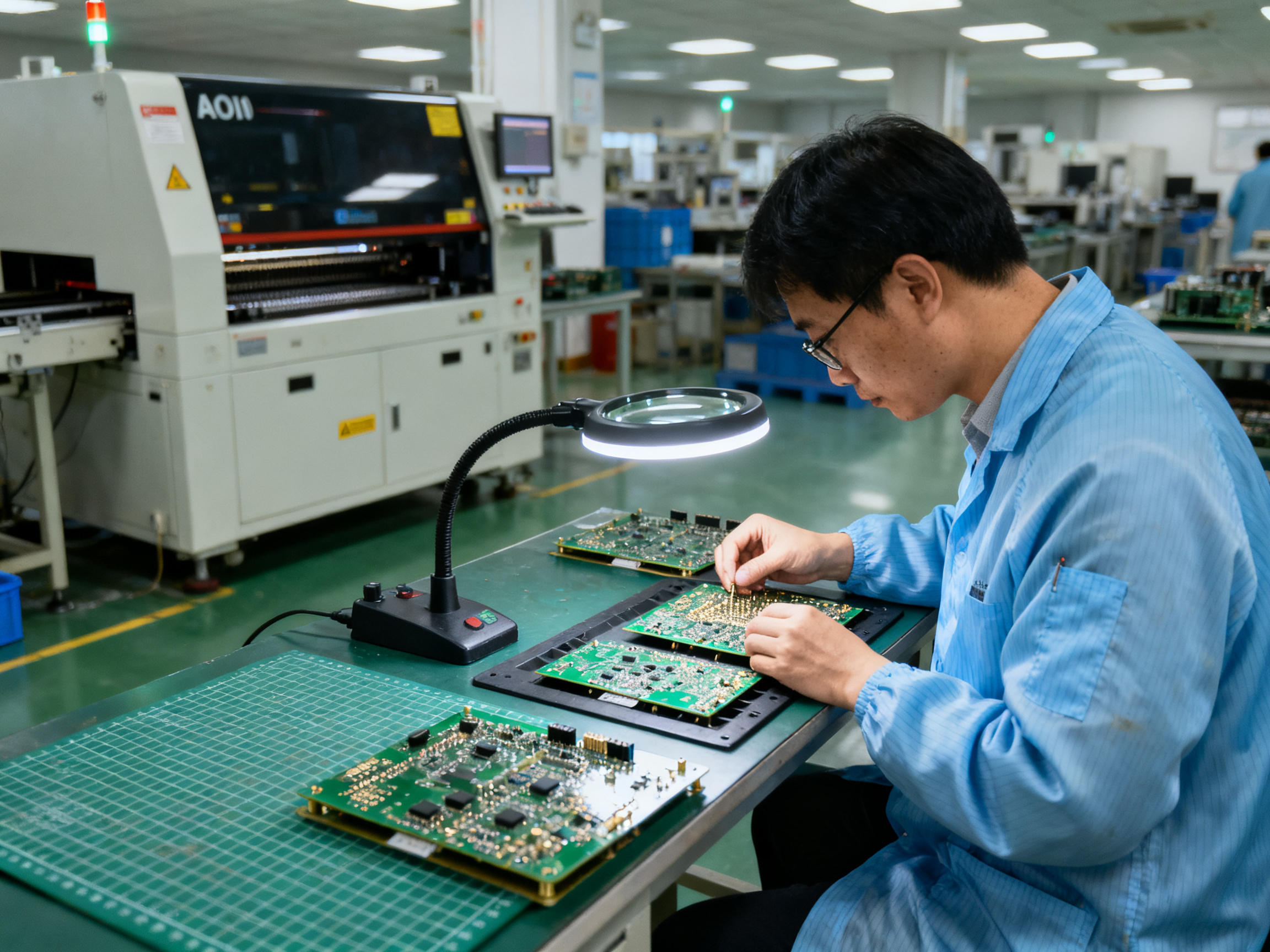
| 4 | AOI/X-ray Inspection | Verifies joint quality |
Reflow sits right in the middle of that sequence, and everything downstream depends on whether you nailed it. Your inspection results, your test yields, your customer returns all trace back to how well the thermal profile matched what the paste and components actually needed.
How Does an SMT Reflow Oven Work?
Picture a long insulated tunnel. Your populated PCB rolls in on one end and exits the other with solid, shiny solder joints. Sounds simple, right? Here’s where it gets interesting.
The Conveyor Journey
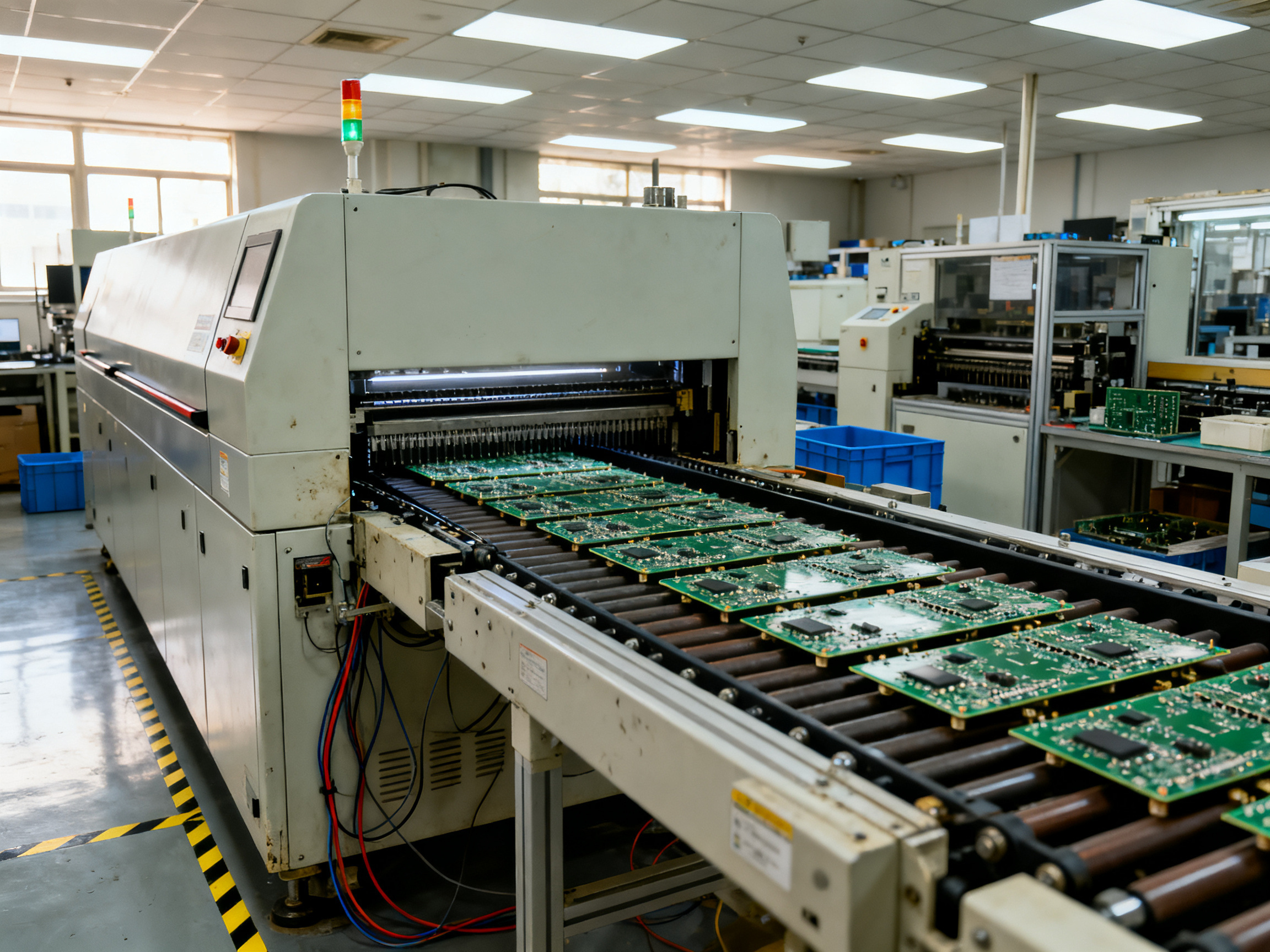
A PCB enters the oven through a conveyor interface, usually via SMEMA-style handshake signals from the upstream placement machine. The conveyor carries the board through a series of independently controlled thermal zones, each with its own heaters, blowers, and temperature sensors.
From the operator’s display, you see zone setpoints like 180°C, 210°C, 245°C. But here’s the deal, and this trips up a lot of people: those numbers are not your board temperature. They’re the air temperature that each zone controller tries to maintain. Your actual product temperature depends on board mass, copper distribution, component geometry, and conveyor speed.
A small chip resistor sitting near the edge might track air temperature pretty closely. A heavy connector with a copper shield? That thing lags behind. Big copper planes can stay noticeably cooler during ramp-up while nearby small parts shoot toward peak. This is why IPC-7530 insists you measure the board, not just trust the display.
Heat Transfer Methods
Most modern SMT reflow ovens use forced convection. Heated air recirculates over the board surface, transferring heat fairly uniformly regardless of surface color or finish. You might also see infrared radiant heating, vapor phase systems that use condensing fluid, or hybrid combinations.
Air atmosphere ovens cost less to run. Nitrogen systems reduce oxidation and can improve wetting consistency, which matters for fine-pitch components or demanding surface finishes. But here’s the practical take: for most standard SAC305 assemblies with well-controlled paste and surfaces, air convection works just fine. Nitrogen becomes worth the added cost when you’ve got oxidation-related defects or customer requirements that demand it.
Core Subsystems Working Together
The main components you’ll interact with daily:
- Heaters and blowers create the thermal environment across multiple zones
- Thermocouples and controllers regulate each zone independently
- Conveyor system moves boards at a controlled, documented speed
- Cooling section uses blowers and heat exchangers to solidify joints under controlled conditions
- Exhaust and flux management remove vapors and protect heating elements
- Recipe system stores your approved profiles with access controls
- Line communication handles board handoffs with upstream and downstream equipment
Expert Tip: A verified operator or process engineer explains why stable heat transfer and board-level temperature measurement matter more than the oven’s displayed zone setpoints alone.
The recipe you run isn’t just temperatures. It’s a combination of zone setpoints, conveyor speed, atmosphere settings, and cooling parameters that together produce the required thermal profile on your specific product. Copying someone else’s recipe and expecting identical results is a common mistake, especially when their board has different thermal mass, copper distribution, or component mix.
The Four Main Stages of a PCB Reflow Profile
A reflow profile is not a list of setpoints. It’s a temperature-versus-time story measured at specific locations on your actual board. IPC-7530B makes this clear: the profile is the complete thermal history your assembly experiences from the moment it enters the oven until it exits the cooling zone and reaches a safe handling temperature.
Most profiles break down into four functional regions. Understanding how they connect matters more than memorizing individual numbers.
1. Preheat and Ramp-Up
The board enters the oven and temperatures begin climbing. This stage does two things at once. First, it reduces thermal shock to components and the board itself. Second, it starts driving off solvents in the solder paste and begins activating the flux.
The ramp rate, measured in degrees Celsius per second, controls how quickly heat transfers to the assembly. Too fast and you risk cracking ceramic components or creating temperature gradients that warp the board. Too slow and production throughput tanks while flux starts depleting before it does its job.
A typical lead-free SAC305 profile limits ramp-up to around 1.0 to 1.5 degrees per second, though some paste data sheets allow faster rates for robust flux chemistries. The actual number for your line depends on your paste supplier, component tolerances, and board construction.
2. Soak and Flux Activation
After the initial ramp, the assembly enters a temperature band where flux does its real work. This soak period, sometimes called the flux-activation zone, allows the board to equalize thermally so that heavy connectors and small chip components are closer to the same temperature before hitting peak heat.
The soak also continues solvent evaporation. If volatiles flash off too suddenly during the reflow stage, you get spatter and solder balls. A controlled soak prevents that.
Typical lead-free soak temperatures sit around 150 to 200 degrees Celsius for 60 to 120 seconds, but always verify against your paste technical data sheet. Some pastes prefer a longer soak; others perform better with minimal soak time to reduce voiding in BGAs.
3. Reflow and Time Above Liquidus
This is where the solder actually melts. The assembly crosses the liquidus temperature, which for SAC305 alloys is about 217 degrees Celsius. The solder grains coalesce, wets the component termination and PCB pad, and begins forming the intermetallic bond that makes the joint mechanically and electrically reliable.
Peak temperature must be high enough for good wetting but low enough to avoid damaging components or degrading the board laminate. Time above liquidus, often abbreviated TAL, must be sufficient for complete joint formation without excessive intermetallic growth that makes joints brittle.
4. Cooling and Solidification
After peak temperature, the board enters the cooling zone where solder solidifies into the final joint microstructure. Cooling rate affects grain structure. Faster cooling generally produces finer grains and shinier joints, while slower cooling can create coarser microstructures.
Too rapid cooling can stress the board or cause component cracking. Too slow lets the joint spend more time in the plastic state where vibration or movement could create voids or weak joints.
A controlled cooling rate of roughly 2 to 6 degrees per second is typical for lead-free assemblies, but the exact target depends on your board materials and component thermal limits.
Here is what a complete profile looks like visually:
Temperature (°C)
260|        ___________
    |       /           \      ← Peak (~235-250°C for SAC305)
240|      /             \
    |     /               \
220|====*===================\  ← Liquidus crossing (217°C)
    |   /                   \
200|  /                      \
    | /                        \
180|/|                          \
    |/                            \
150|       ____====____              ← Soak zone (150-200°C)
    |     /             \
    |    /               \
100|___/                  \________
    |/
  25|___________________________________
    0    60    120   180   240   300   Time (seconds)
    |Preheat| |Soak| |Reflow| |Cool|
The ranges below are illustrative examples only. Actual limits must come from your specific solder paste technical data sheet, component maximum temperature ratings, and applicable IPC or JEDEC standards for your assembly.
| Profile Parameter | SAC305 Illustrative Range | Notes |
|——————-|—————————|——-|
| Ramp-up rate | 1.0 to 1.5°C/s typical | Verify with paste TDS |
| Soak temperature | 150 to 200°C | Duration 60 to 120s |
| Liquidus temperature | ~217°C | SAC305 alloy |
| Time above liquidus | 45 to 90 seconds | Too short = poor wetting |
| Peak temperature | 235 to 260°C | Must not exceed component limits |
| Cooling rate | 2 to 6°C/s | Controlled, not quench |
Pro Insight: Treat the profile as a connected thermal history, not a collection of isolated targets. The ramp rate affects how your soak behaves. The soak duration influences when components hit liquidus. Peak temperature and time above liquidus trade off against each other. Adjusting one parameter shifts the entire curve, which is why recipe changes need verification across the full profile, not just the parameter you touched.
Each stage flows into the next, and what happens upstream directly affects what happens downstream. A sluggish ramp-up means your soak starts late and may not achieve temperature equalization before reflow begins. A peak that’s too aggressive burns through flux and risks component damage before the cooling zone can react.
We have seen engineers tweak the peak temperature to fix a wetting problem, only to create a voiding issue in BGAs because the longer time above liquidus changed gas entrapment behavior. The fix was not in the peak number alone. It required stepping back and looking at the whole profile as one connected thermal story.
How to Build a Reflow Profile for a Specific PCB
So you have your oven running and your paste data sheet in hand. Now what? Building a real profile for your actual board is where most people either get it right or spend weeks chasing phantom defects.
Start With Your Constraints
Before touching the oven, gather everything that tells you what the board can and cannot handle. This means the solder paste technical data sheet first, not last. That document tells you the recommended ramp rate, soak behavior, time above liquidus, peak range, and cooling rate for that specific alloy and flux system. Ignore it and you’re guessing.
Next, pull the component maximum temperature ratings. Most lead-free assemblies live in the 235 to 260 degree peak window, but some moisture-sensitive packages have tighter limits. Check the J-STD-020 moisture sensitivity level and the component manufacturer’s reflow limits. These are hard stops, not suggestions.
Your board construction matters too. Heavy copper planes, thick laminates, metal-backed substrates, and large thermal masses all slow down heating. A board with lots of ground plane behaves completely differently from a thin, sparse design running at the same conveyor speed.
Thermocouple Placement and Attachment
This part trips up beginners. You need to measure where the action is, and that means the hottest and coldest spots on your specific assembly.
Place thermocouples at these locations:
- Cold spots: Large copper regions, heavy connectors, ground planes, and any area with high thermal mass
- Hot spots: Small isolated components near oven edges, fine-pitch devices, and areas with low thermal mass
- Critical packages: BGA locations, QFN exposed pads, and any hidden joint area
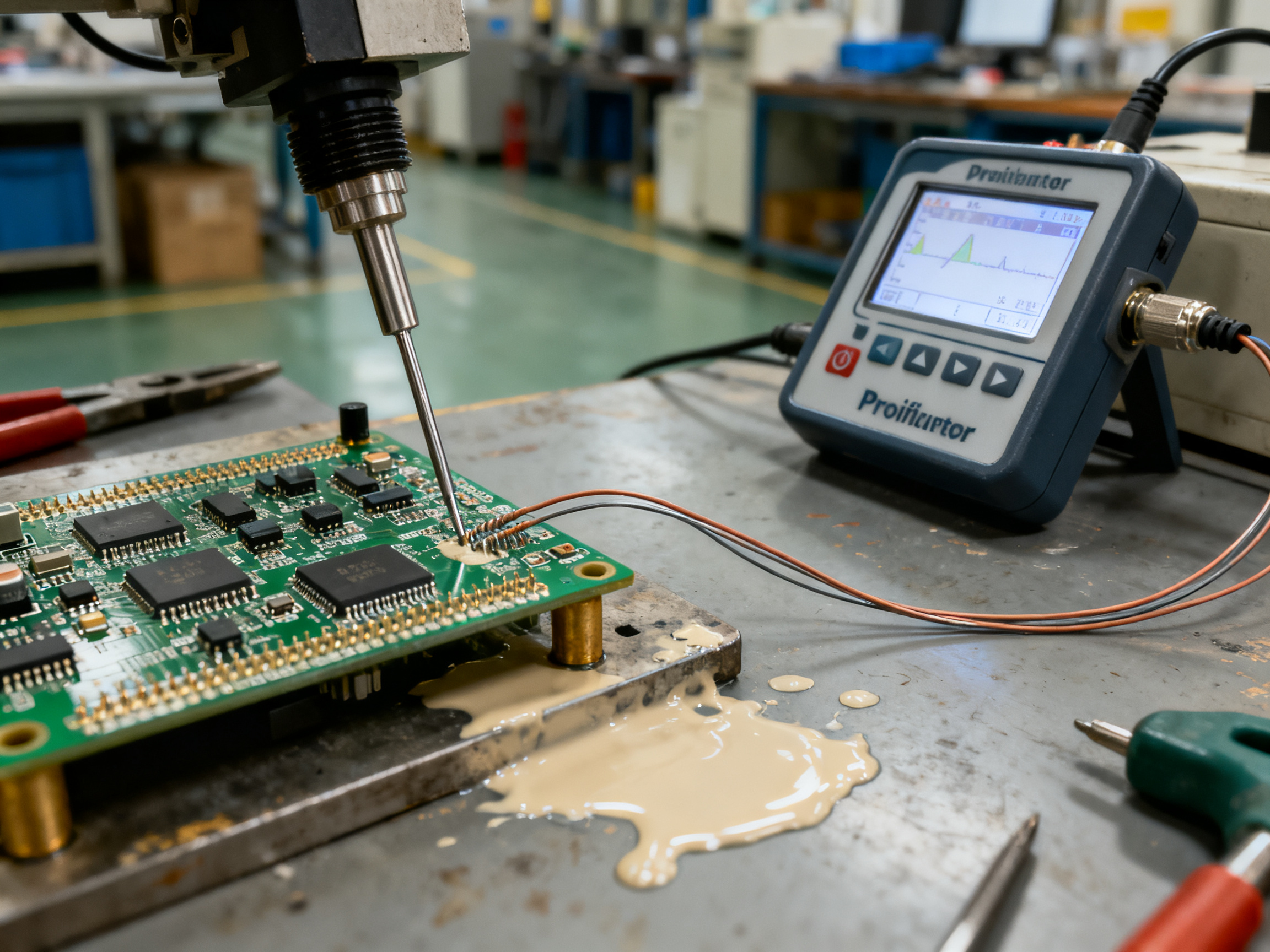
Use fine-wire type K thermocouples, usually 36 AWG. Attachment methods include high-temperature solder, copper or aluminum tape, or polyimide tape. Solder attachment gives the most reliable thermal contact, but tape works fine if applied carefully. The goal is consistent contact without the thermocouple lifting during the profile run.
A typical medium-complexity board needs 5 to 8 thermocouple channels. High-density assemblies with multiple BGAs might need 10 or more. There’s no magic number that fits everything. Size up your component mix and place where temperature variation is most likely.
Zone Settings, Conveyor Speed, and Why Recipe Copying Fails
Here’s something we see all the time: someone takes a recipe from a different board, runs it unchanged, and wonders why results are terrible. The recipe you copy doesn’t account for different copper distribution, different component masses, different board thickness, or different paste lots. Those factors change the entire thermal response.
Zone temperatures and conveyor speed work together as a system. Slowing the belt increases time at temperature everywhere. Raising zone setpoints raises the whole curve. You can’t change one without affecting the others, so always adjust in small increments and re-profile after each change.
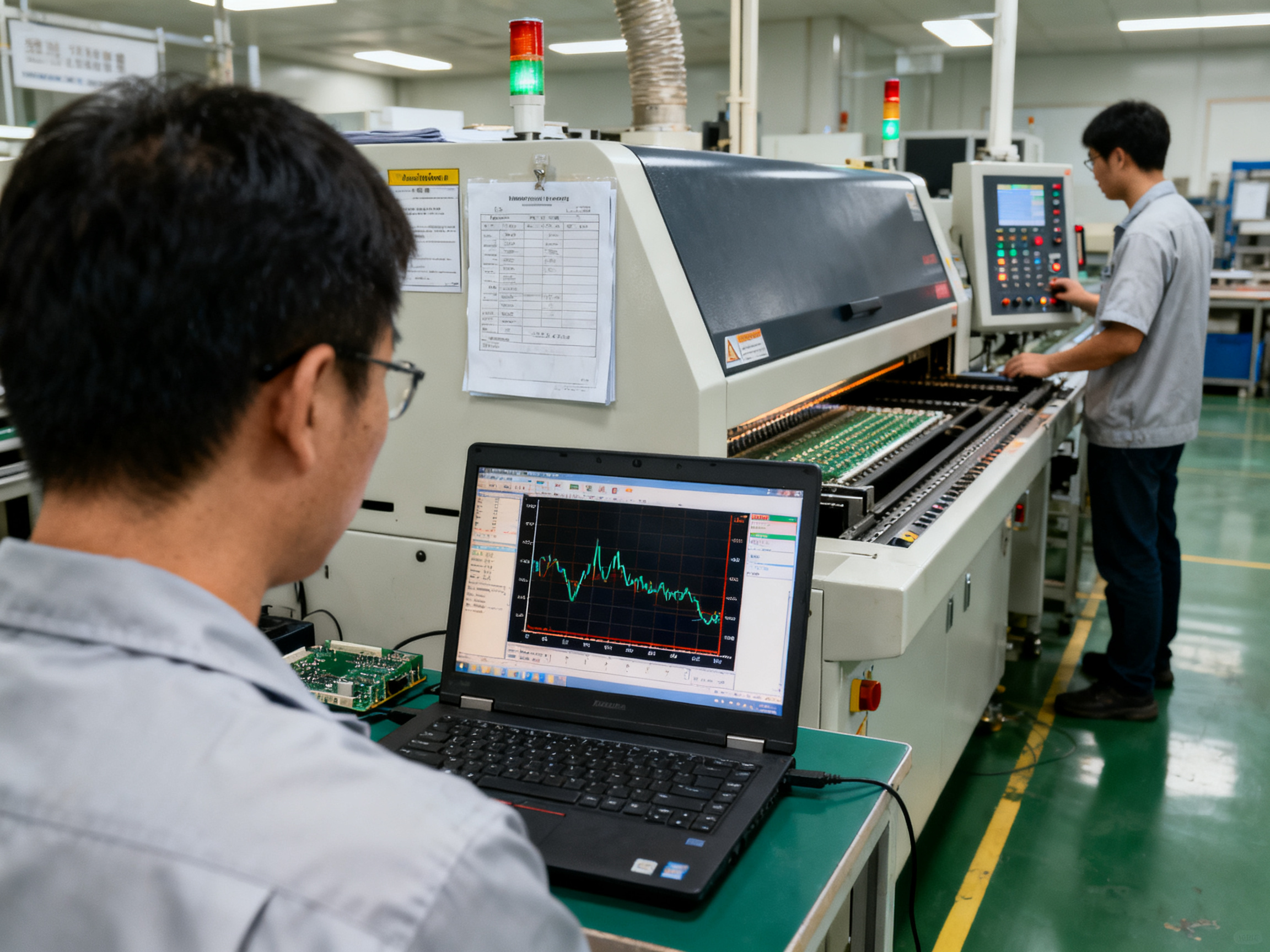
Profile software calculates the metrics that matter. You want to see ramp rate in degrees per second, time above liquidus, peak temperature spread across the board, and the delta between your hottest and coldest locations. Most software flags any parameter outside your defined limits.
From Our Experience: We once spent three days chasing intermittent voiding on a QFN board. The profile looked fine on paper. Turns out we had been measuring the wrong locations. The exposed pad was running 15 degrees hotter than our thermocouple positions suggested. Moving the measurement point fixed everything. Always profile where the risk is, not where it’s convenient.
Profile Development Checklist
Before you call a profile done, verify each of these items:
- Solder paste technical data sheet reviewed and limits recorded
- Component maximum temperature ratings confirmed
- Board construction and thermal mass assessed
- Thermocouples attached at cold spots, hot spots, and critical packages
- Baseline profile run completed at production conveyor speed
- All parameters compared against paste and component limits
- Software pass/fail status reviewed for each channel
- Peak temperature delta across board acceptable
- Recipe documented with version, date, and approval
Sample Profile Record
| Field | Example Entry |
|——-|—————|
| Product ID | Assembly-2026-A7 |
| Recipe Revision | Rev 3.2 |
| Profiler Model | KIC Pathfinder Pro |
| Calibration Date | 15 Sep 2026 |
| Thermocouple Locations | Cold: P1 connector; Hot: U4 BGA corner; Critical: QFN center pad |
| Paste Type | SAC305 RMA |
| Conveyor Speed | 70 cm/min |
| Peak Temperature Range | 241 to 248 degrees C |
| Time Above Liquidus | 58 to 72 seconds |
| Delta T (board) | 7 degrees C |
| Pass/Fail Status | PASS with conditions |
| Approved By | Process Engineering |
| Approval Date | 17 Oct 2026 |
That record becomes your evidence. If defects show up six months from now, you can pull the profile history and see exactly what the board saw. Without that documentation, you’re starting from scratch every time something goes wrong.
How to Set Up and Validate a Reflow Oven Process
Setting up a reflow oven properly saves you from headaches down the line. Here’s the workflow that works.
Pre-Start Checks
Before you touch any controls, run through this checklist:
- Utilities: Verify electrical supply, phase, voltage, and grounding are correct
- Exhaust: Confirm exhaust ducting is connected, unobstructed, and operating
- Nitrogen: Check supply pressure, purity, flow, oxygen setpoint, and analyzer status if you’re running inert atmosphere
- Cooling: Confirm chiller or cooling-water flow, temperature, filters, pumps, and alarms are all working
- Conveyor: Check width, rail position, edge support, center support, speed, and transfer height
- Clearance: Verify required perimeter, service, fire, hot-surface, and emergency-access clearances
- Flux management: Inspect flux collection systems and confirm they’re not blocked
- Alarms: Test temperature, conveyor, nitrogen/O2, cooling, and exhaust alarm functions
- Recipe: Confirm the correct product revision, board orientation, and conveyor settings are loaded
Controlled Startup Workflow
Once checks pass, follow this sequence:
- Inspect the oven, conveyor, support tooling, exhaust, nitrogen, cooling, and safety devices
- Load the approved recipe and confirm product revision
- Turn on required utilities before enabling heat
- Start exhaust and verify flow
- Establish nitrogen flow and confirm oxygen level if applicable
- Start cooling systems and confirm flow, temperature, and alarms
- Start the conveyor at the validated speed and confirm unobstructed travel
- Enable heating and allow the oven to reach setpoints
- Wait for thermal stabilization (usually 15 to 30 minutes depending on oven size)
- Run a test board or profiling board through
- Verify measured parameters against paste and component limits
- Inspect the output and authorize production
From Our Experience: We once spent three days chasing intermittent voiding on a QFN board. The profile looked fine on paper. Turns out we had been measuring the wrong locations. The exposed pad was running 15 degrees hotter than our thermocouple positions suggested. Moving the measurement point fixed everything. Always profile where the risk is, not where it’s convenient.
Ongoing Validation
Getting set up once isn’t enough. Here’s how you keep the process in control:
| Validation Activity | Who Performs | Frequency |
|—|—|—|
| First-article inspection | Operator + Quality | Every new lot or recipe |
| AOI/X-ray inspection | Quality | Per production batch |
| Recipe access control | Process Engineering | Continuous |
| Periodic profiling | Process Engineer | When triggered by events |
| Preventive maintenance | Maintenance | Per schedule |
| Calibration check | Maintenance/Quality | Per calibration interval |
| SPC review | Quality/Engineering | Weekly |
First-article inspection catches problems before they spread across a whole batch. Run a few boards, inspect them, and get sign-off before committing to full production.
Statistical process control on key profile parameters flags drift before it becomes a defect. Track peak temperature, time above liquidus, and board delta-T over time.
Recipe access control prevents unauthorized changes. Recipe edits should require password-protected login with a change log that tracks who changed what and when.
Periodic profiling is event-driven, not calendar-driven. Re-profile after any maintenance that could affect thermal behavior, after recipe changes, when switching to different board designs, or when defect rates start climbing.
Preventive maintenance keeps the oven behaving consistently. Follow the manufacturer’s maintenance schedule for heaters, fans, filters, conveyor components, and sensors.
Quick Setup and Validation Checklist
- [ ] Utilities verified (electrical, exhaust, cooling, nitrogen)
- [ ] Conveyor width and support configured
- [ ] Recipe loaded and confirmed for current product revision
- [ ] Thermocouples attached to representative locations
- [ ] Profile run completed and within paste/component limits
- [ ] First article inspected and approved
- [ ] AOI/X-ray results reviewed
- [ ] Production authorized
Video Concept: Thermocouple Attachment and Profile Run
A short demonstration showing proper thermocouple attachment to a representative test board, running the profile, and reviewing the resulting thermal data would be valuable for new operators. This type of hands-on video bridges the gap between written procedures and actual practice.
The goal isn’t perfection on day one. It’s establishing a repeatable process that you can trust, measure, and improve over time. Document everything, verify everything, and don’t release production until the evidence says it’s safe to do so.
Common Reflow Defects: Causes, Profile Signals, and Corrective Actions
Even with a perfect profile on paper, defects happen. When they do, resist the urge to immediately blame the oven. Most reflow defects have multiple root causes across your entire process, and jumping to conclusions wastes time and introduces new problems.
Here’s the thing, though. The oven is often the first place engineers look because it’s visible and adjustable. But printing errors, placement issues, board design, material problems, and component handling can all create defects that look thermal but aren’t.
A Quick-Reference Defect Matrix
| Defect | Common Non-Thermal Causes | Profile Signal | Where to Check First |
|——–|————————–|—————-|———————-|
| Insufficient wetting/cold joints | Contaminated pads, bad paste lot, oxidized surfaces | Peak or TAL too low | Paste storage, board finish |
| Solder balls | Stencil debris, paste volume issues, board contamination | Rapid heating, spattering | Print inspection, board handling |
| Bridging | Pad pitch too tight, aperture errors, placement misalignment | Liquidus zone too extended | SPI data, placement accuracy |
| Tombstoning | Uneven pad geometry, copper imbalance, placement offset | Hot spots near small passives | Board design, paste distribution |
| Voiding | Aperture design, flux entrapment, pad thermal coupling | Peak, TAL, and soak all affect it | Stencil design, paste chemistry |
| Head-in-pillow | BGA oxidation, package warpage, paste condition | Extended soak or high peak | Moisture handling, component storage |
| Component damage | Moisture sensitivity exceeded, thermal shock | Peak or TAL exceeds limits | MSL records, component limits |
| Warpage | Asymmetric copper, thin boards, moisture | Steep gradients, high peak | Panelization, board construction |
| Board discoloration | Repeated reflows, flux residue, contamination | Excess peak or TAL | Process history, cleaning |
The Troubleshooting Sequence That Works
When defect rates spike, I follow this order every single time.
First, isolate. Confirm what actually changed. New paste lot? Different board revision? New operator? These details narrow the hunt before you touch a single oven parameter.
Second, measure. Run a profile on your current product, not a reference board from last quarter. Use thermocouples at the locations where defects appear. The board-level temperature, not the display setpoints, tells the real story.
Third, check upstream. Review SPI data and placement records before adjusting the oven. A 10% paste volume shortage can cause what looks like insufficient wetting. Misaligned placement creates bridging that has nothing to do with your thermal profile.
Fourth, adjust one thing. Make one change, run a test lot, inspect, and document. If you tweak zone temperatures, conveyor speed, and paste lot all at once, you’ll never know what actually fixed it.
The biggest mistake I see in production? Engineers blame the profile when the real culprit was a contaminated stencil or a paste lot that sat at room temperature too long. Thermally responsive SMT equipment gives you the control to dial in profiles precisely, but only if you’re solving the right problem.
From Our Experience: We had a batch with elevated tombstoning on 0402 resistors. Spent two days adjusting soak temperatures. Turns out the board house had changed the copper weight on one layer and nobody told us. Uneven copper distribution was creating thermal imbalance during ramp. The fix was conveyor speed, not zone temperatures. Always confirm the board construction matches what you profiled.
Defect investigation is detective work. Start with data, challenge your assumptions, and check non-thermal causes first. Only then should you reach for the profile.
Selecting and Optimizing a Reflow Oven for Production Requirements
Picking a reflow oven is one of those decisions that echoes through your whole operation. Get it right and your line runs smooth, your profiles are achievable, and your defect rates stay manageable. Get it wrong and you’re constantly fighting the equipment to hit basic process windows.
Translate Line Requirements Into Specifications
Before you look at vendor brochures, lock down what your production actually needs.
Board and product constraints set the baseline. What are the maximum board dimensions and weights you’ll run? How much copper mass and thermal variation exists across your product mix? Heavy boards with big ground planes need more heating capacity and slower belt speeds. Lighter assemblies can usually run faster. If you’re mixing products with very different thermal demands, factor that into zone count requirements.
Cycle time targets drive conveyor speed. If your placement machine outputs 60 boards per hour but your oven can only process 45, you’ve got a bottleneck. Calculate the minimum belt speed your profile needs to achieve dwell time above liquidus, then work backward to see if the oven’s heated length supports your throughput goals.
Atmosphere requirements matter for some products. Air convection works fine for most SAC305 assemblies with well-controlled paste and surfaces. Nitrogen becomes worth the cost when you’ve got oxidation-related defects, demanding surface finishes, or customers who specify it. Don’t pay for nitrogen capability you won’t use.
Integration and Reliability Checkpoints
Beyond the basic thermal specs, evaluate how the oven fits into your operation:
| Factor | What to Verify |
|——–|—————-|
| Interface | SMEMA or Hermes compatibility with upstream/downstream equipment |
| Recipe management | Password protection, version control, change audit trail |
| Data export | Can profile data feed your MES, SPC, or quality system? |
| Flux management | Exhaust capacity, filter maintenance, collection system capacity |
| Service | Response time commitments, spares availability, PM schedule |
| Accessibility | Clearance for maintenance, thermocouple access, board loading |
Total Cost of Ownership Framework
The purchase price is usually the smallest part of what you’ll spend. Build a realistic TCO model that includes:
Operating costs: Energy consumption (kWh per board), nitrogen usage if applicable, consumables like filters and thermocouples.
Throughput impact: Achievable boards per hour at your actual profile settings, not theoretical maximums.
Uptime and maintenance: Mean time between failures, typical repair costs, scheduled maintenance labor.
Yield influence: Defect rates you’re likely to see with the oven’s thermal control capability.
Floor space and infrastructure: What utilities does it need, and what’s the real footprint including service clearance?
A mid-range oven that achieves your profile easily often beats a premium unit that’s over-specified for what you’re actually running.
Conclusion: A Repeatable Reflow Process Starts With Measured Board Data
Here is what this guide keeps coming back to: the correct reflow process is not a set of oven zone temperatures. It is the measured thermal history of your actual PCB, validated against documented solder paste limits and component maximum ratings.
Zone setpoints on a display tell you what the air temperature controller targets. Thermocouple data from your board tells you what actually happened. That distinction drives every decision in this guide, from initial profile development through ongoing monitoring.
The seven-step action sequence that works:
- Collect your product constraints from paste TDS, component limits, and board construction data
- Attach thermocouples to representative hot spots, cold spots, and critical packages on a sacrificial board
- Run a baseline profile at production conveyor speed
- Compare measured parameters against paste and component limits
- Adjust zone settings and speed; re-profile until everything passes
- Lock the recipe with version control and approval signatures
- Monitor performance, trigger re-profile after meaningful changes, and revalidate periodically
From Our Experience: We once watched a team spend two weeks chasing intermittent opens on a BGA assembly. The oven log showed perfect setpoints. A single profile run on the actual product revealed the center BGA was running 18 degrees Celsius cooler than the corner components. The fix was a 15-degree zone increase and a slight belt speed reduction. Two days of profiling replaced two weeks of guesswork. The evidence is always on the board, not on the screen.
Quick Glossary
- Liquidus: The temperature at which solder alloy transitions from solid to liquid
- TAL (Time Above Liquidus): Duration the joint remains above liquidus temperature during reflow
- Delta-T: Maximum temperature difference between hottest and coldest locations on the board
- Ramp Rate: Speed of temperature increase measured in degrees per second
- Thermal Mass: The ability of a material to store and conduct heat; affects heating speed
Ready to put this into practice? Sun and Mountain SMT offers process audits and profiling support to help you establish or verify your reflow process. Our team can instrument your boards, run thermal profiles, and document validated recipes your production team can trust.